EasyManua.ls Logo

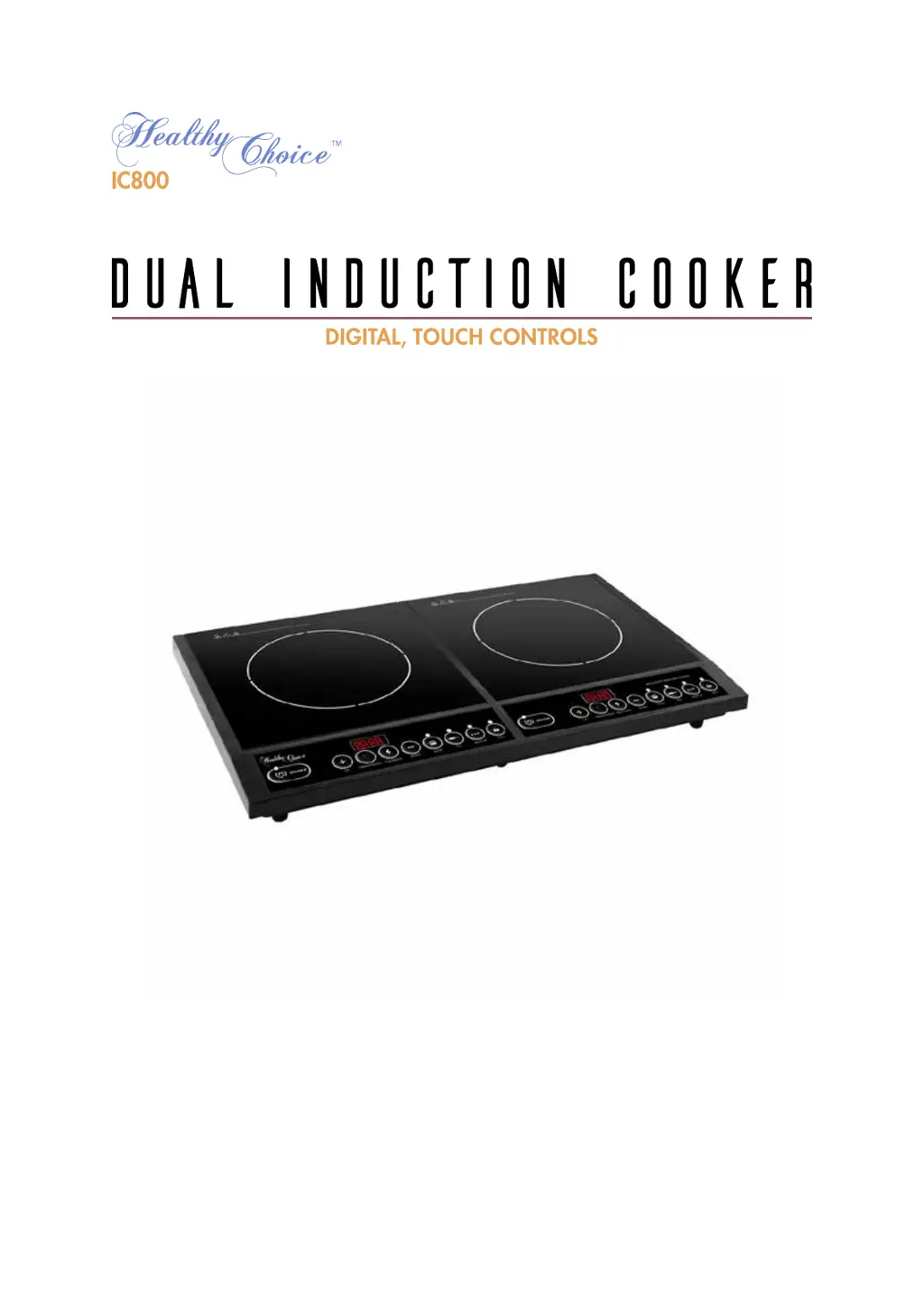
Healthy Choice IC800 - User Manual

Healthy Choice IC800
11 pages
Print Icon
To Next Page IconTo Next Page
Loading...
Model: IC800
Batch: PR4263
PLEASE READ AND RETAIN THESE INSTRUCTIONS FOR FUTURE REFERENCE.
THIS APPLIANCE IS INTENDED FOR HOUSEHOLD USE ONLY.

Questions and Answers

  • C
    Curtis MorganAug 6, 2025
    What to do if my Healthy Choice Cookers unit is making beeping sounds?
    • P
      Peter EnglishAug 6, 2025
      If your Healthy Choice Cookers unit is beeping, there might be several reasons: * You might be using incompatible cookware or no cookware at all. Try replacing it with cookware that is compatible with induction cookers. * The cookware might not be placed in the center of the heating zone circle. Ensure you place the cookware in the center of the defined heating zone circle. * The cookware might be the wrong size. Make sure the cookware has a diameter larger than 12cm but does not exceed 26cm.
  • D
    Dustin BrownAug 16, 2025
    What to do if my Healthy Choice IC800 Cookers has no operation during heating?
    • A
      Anna HenryAug 16, 2025
      If your Healthy Choice Cookers stops operating during heating, consider the following: * Check if the cookware is empty or if the temperature is too high. Ensure that the appliance is not being misused. * Inspect the air intake/exhaust vent for any blockages or accumulated dirt. Clear any obstructions and allow the appliance to cool down before using it again. * If the unit has been running for over 2 hours without any external instruction, try resetting the cooking modes or using the timer function.
  • J
    justinstricklandAug 26, 2025
    Why my Healthy Choice IC800 Cookers has no response after pressing the ON/OFF button?
    • M
      Marie ArmstrongAug 26, 2025
      If your Healthy Choice Cookers doesn't respond after pressing the ON/OFF button, it could be due to these reasons: * The electricity supply might be suspended. Please use the appliance after the electricity resumes. * The plug might not be connected firmly. Check the root causes carefully. If the problem persists, contact a service center for assistance. * The fuse might be broken down.

Summary

About the Product

Safety Instructions

Hot Surface Warning

Warning that the plate is hot after cooking and should not be touched.

Ventilation Requirements

Clearance Guidelines

Specifies minimum clearance around the appliance for safe operation and ventilation.

Introduction to Induction Cooking

Suitable Cookware

Unsuitable Cookware

Control Panel and Operation

Operating Instructions

Step-by-step guide on how to operate the induction cooker for basic functions.

Function and Timer Details

Setting a Cook Time

Instructions for setting a timed duration for boiling and frying functions up to 3 hours.

Setting a Countdown Timer

Instructions for setting a countdown for stewing and heating up functions up to 24 hours.

Appliance Controls

Electricity Button Function

Explains how to use the electricity button to view volts and power level.

ON;OFF Button Function

Details on using the ON/OFF button to stop heating or turn off the unit.

Cleaning and Maintenance

Troubleshooting

Appliance Not Responding

Diagnosing issues when the appliance has no response after connecting power and pressing ON/OFF.

Beeping Sounds

Troubleshooting steps for when the unit makes beeping sounds.

No Operation During Heating

Resolving issues related to the appliance not heating up during operation.

Error Messages

Error Code E0;E6

Addresses issues related to incompatible cookware or short circuits.

Error Codes E1-E5, E7-E8

Troubleshooting for internal overheat, voltage issues, sensor, or fan problems.

Specifications

Healthy Choice IC800 Specifications

General IconGeneral
MaterialStainless Steel
ProgrammableYes
Keep Warm FunctionYes
Voltage120 Volts
ColorSilver