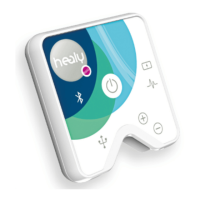
The MagHealy is a device designed to support energetic balance and enhance recovery, vitality, and well-being through the application of frequencies. It is accompanied by a dedicated mobile application, the MagHealy App, which allows users to configure, control, and send application programs to the device.
Function Description:
The MagHealy operates by emitting frequencies that are intended to promote energetic balance and support various aspects of health, including recovery, vitality, and overall well-being. The device works in conjunction with the MagHealy App, which serves as the primary interface for managing its functions. Through the app, users can select and initiate different application programs, each designed for specific purposes. The MagHealy connects to the app via Bluetooth, enabling seamless communication and control. The device itself is wireless and is designed for ease of use and portability.
Important Technical Specifications:
- Connectivity: The MagHealy connects to a smartphone via Bluetooth. It is important to note that the device can only connect to one MagHealy at a time.
- Charging: The MagHealy is charged inductively using the provided MagHealy inductive charger and a USB-C charging cable.
- Power Switch Positions: The device features an On/Off switch with three distinct positions, each controlling different functionalities:
- Position I: In this position, the MagHealy is ready to charge. However, the Bluetooth chip and the LED ring are switched off. This setting is ideal for charging when no app connection or visual feedback is required.
- Position II: Here, the MagHealy is also ready to charge. Crucially, the Bluetooth chip is switched on, allowing the device to connect to the Healy App. The LED ring, however, remains switched off. This position is suitable for charging while simultaneously using the app to control programs, but without the visual indication of the LED ring.
- Position III: In this final position, the MagHealy is ready to charge, and both the Bluetooth chip and the LED ring are switched on. This provides full functionality, allowing for app connection and visual feedback from the LED ring.
- App Compatibility: The MagHealy App is available for download on both the Apple App Store and Google Play Store, ensuring compatibility with a wide range of smartphones.
Usage Features:
The usage of the MagHealy involves a straightforward process of installation, activation, and program execution, guided by the MagHealy App.
- Charging: Before initial use, it is essential to ensure the MagHealy device is fully charged. This is done by placing the device on the inductive charger, which is connected via the USB-C cable.
- App Installation: Users need to download the "MagHealy" App from their respective app stores (Apple App Store or Google Play Store).
- Device Activation and Connection:
- Switching On: The MagHealy device must be switched on. For connecting to the app, it is recommended to place the switch in the 2nd position (II) or 3rd position (III) to enable the Bluetooth chip.
- App Launch and Bluetooth Activation: Launch the MagHealy App on your smartphone. The app will prompt you to activate Bluetooth on your phone if it's not already on.
- Device Discovery: The app will then search for available MagHealy devices.
- Permission Requirements: The app requires access to location data to enable the Bluetooth connection. Users must grant this permission by clicking "OK" when prompted. This permission is necessary even when the app is closed or not in use, ensuring continuous functionality.
- Serial Number Entry/QR Code Scan: To connect and activate the device, users will either need to scan a QR code located on the back of the MagHealy or manually enter the device's serial number into the app.
- Registration: After entering the serial number, users click "Register" within the app.
- Connection Confirmation: The app will then display a "Please wait" message while it connects to the MagHealy.
- Program Selection and Execution: Once the device is successfully connected and set up, users can navigate through the app to select and run various programs. The app displays different program groups (e.g., Classic Programs, Atmosphere Programs, Water Activation, McMakin Harmonization Prog.) from which users can choose. Tapping on a program will initiate its execution on the MagHealy device.
Maintenance Features:
While the manual primarily focuses on initial setup and usage, some aspects imply maintenance considerations:
- Charging: Regular charging is a key maintenance aspect to ensure the device is always ready for use. The inductive charging method simplifies this process.
- Software Updates: Although not explicitly detailed, mobile applications like the MagHealy App typically receive updates. Keeping the app updated ensures optimal performance, access to new features, and compatibility with the device.
- Care of Components: The description mentions that "All components are of noble design and built to match each other." This suggests that proper care, such as keeping the device and its accessories clean and protected from damage, is important for maintaining its functionality and aesthetic appeal.
- Bluetooth Management: Ensuring Bluetooth is functioning correctly on the smartphone and that the MagHealy's switch is in the appropriate position (II or III) for Bluetooth connectivity is crucial for consistent operation. Troubleshooting connection issues might involve checking these basic settings.

 Need help?
 General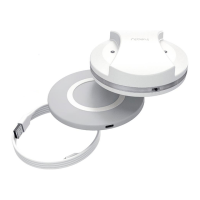

 To Next Page