WaveReader to WaveController
Linking/Deleting Instructions
Proprietary Notice: This document and the information contained herein is the property of Heartland Payment Systems. This document is provided for
customer information and evaluation purposes only, and does not represent any transfer of intellectual property to the customer. No part of the document
can be reproduced or distributed to third parties without the express written permission of Heartland Payment Systems.
Step 5: Restart Step 2 until all Zigbee Address have been linked up
Step 6: Save All Zigbee Address
Configure ZB
1) ZB: Empty[0]
2) Next ZB
3) Save All
Be sure the Configure Zigbee Screen is viewed
After linking all the WaveReaders, Press the Button to
save all the links into memory.
NOTE: Failure to Save All will result with the WaveReaders
not Connecting to the WaveController upon Power-up
Step 7: Exit out of Configuration Mode.
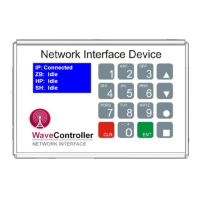
IP: Connected
XB: Idle
HP: Idle
SH: Idle
When complete, continue to Press the Button to return
to the Status Screen. This will exit Configuration Mode
Now when the WaveController responds to the WaveReaders,
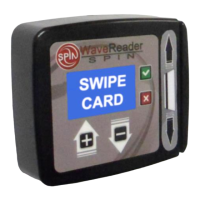
the WaveReaders will display Insert Card. This may take
several minutes before the WaveReader attempts to
communicate to the WaveController.


 To Next Page