11
9
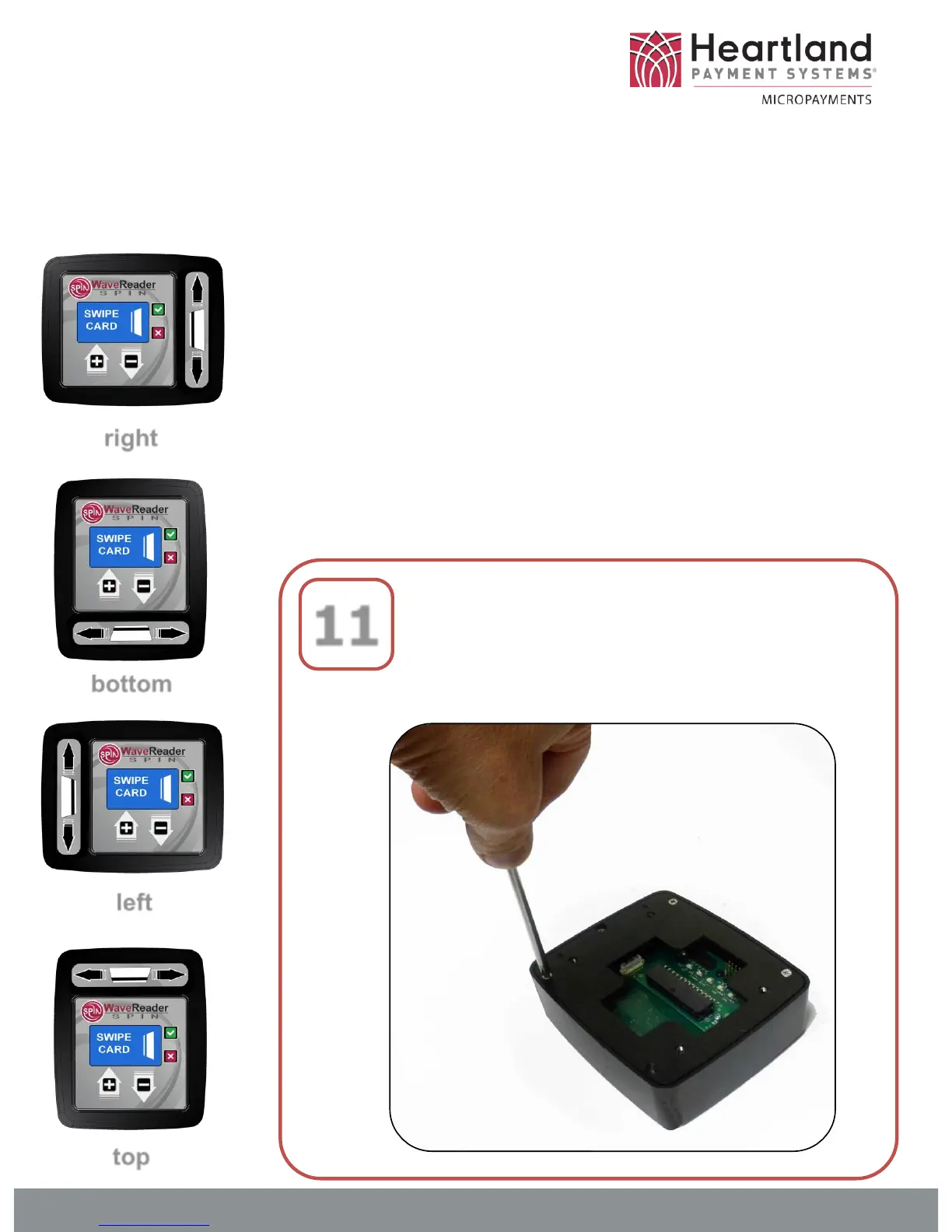
Adjusting Card-Swipe Orientation
As its’ name implies, the WaveReader-SPIN
has the unique ability to be easily adapted to
four different card-swipe orientation options.
If the RIGHT side will not work for the
machine you are installing, just follow this
simple steps to find the option that works the
best. Note, if you are using an angled
bracket, only the RIGHT and LEFT options
can be used.
right
bottom
left
top
Flip the SPIN reader onto its’
face, and remove the four
corner retaining screws.
DOC-WR-SPIN-INST


 To Next Page