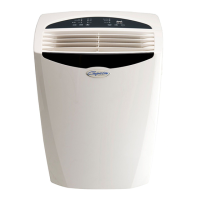
Control panel for cooling and heating models:
B Panel
Note: The control panels above are representative of many available models. Your model
may be slightly different.
On/Off (On and Off):
Press this button once to start the unit, press again to stop.
FAN:
Press this button to select appropriate fan speed.
Fan Speed mode has four options - Auto, Low, Med or High. Each time the button is pressed,
the fan speed mode is shifted.
TEMPRATURE UP AND DOWN:
Press the Up(▲)or Down(▼) buttons to change temperature setting.
Press the Up(▲) button to increase the set (operating) temperature of the unit.
Press the Down(▼) button to decrease the set (operating) temperature of the unit.
Press or hold either button until the desired temperature is displayed. This temperature will be
automatically maintained anywhere between 62°F (17°C
) and 86°F (30°C).
MODE:
Pr
ess this button to select operation mode.
Each time you press the button, the operation mode is selected in a sequence that goes from
Auto, Cool, Dry and Fan for cooling only models. and Auto, Cool, Dry, Heat and Fan for electric
heating models.
ENERGY SAVER:
Press this button to activate energy saving. This feature can only function in cooling mode.
SLEEP:
Press this button to save energy and create a more comfortable environment when sleeping. In
this function, the setting temperature will increase by 2° F degrees 30 minutes after the mode is
selected. The temperature will then continue to increase by another 2° F degrees after every 30
minutes. After 7 hours, the unit return to the originally programmed settings. The Sleep mode
program can be cancelled at any time during operation by again pressing the Sleep button.
Room Air Conditioner with R-410A



 To Next Page
 Loading...