EasyManua.ls Logo

HeathCo SL-6166 - User Manual

HeathCo SL-6166
2 pages
Print Icon
To Next Page IconTo Next Page
Loading...
2445 Nashville Road
P.O. Box 90045
Bowling Green, KY 42102-9045
Tech Service (800) 858-8501
Sales (270) 846-8400
Fax (270) 846-8501 www.heath-zenith.com
JOB #
JOB NAME
Plug-in
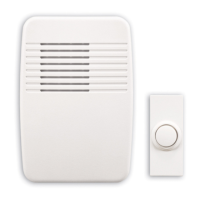
Wireless Door Chime Kit
FA10207 0810
Model #
Model #
SPECIFICATIONS
SL-6166 Kit Includes
(1) Plug-in wireless chime
(1) Wireless push button
(1) 12V “A23” battery for push button
(1) Hardware pack
Note: SL-6167 kit adds a second
push button and battery
Transmission Range
• Up to 100 feet
Color
• Chime: White
• Push Button: White
Front Door Sound
• 8-Note Westminster or 2-Note ding-dong
• 75 Decibel maximum
• Adjustable volume
Additional Entrance Sound
• 1-Note ding
Dimensions
• Chime: 3.5" wide x 1.375" deep x 5.125" high
• Push Button: 1.0" wide x 0.875" deep x 2.5" high
Battery Life
• Push Button: 1 year
Warranty
• 1 Year
All Heath
®
/Zenith wireless door chimes and push
buttons are compatible in order to create the system you
need.
Power Supply
• Chime: 120VAC – 60Hz
• Push Button: (1 per push button) – 12V “A23” battery
(included)
Chime Base
• Electronic with speaker
Security Codes
• 128 selectable
RF Frequency
• 315 MHz
SL-6166
SL-6167
Question and Answer IconNeed help?

Do you have a question about the HeathCo SL-6166 and is the answer not in the manual?

Summary

Product Specifications

Power Supply

Details the electrical requirements for the chime and push button, including voltage and battery type.

Chime Base

Describes the chime unit, noting it is electronic with a speaker.

Security Codes

Specifies the number of selectable security codes available for the chime system.

RF Frequency

States the radio frequency used for wireless communication between components.

Kit Contents and Features

SL-6166 Kit Includes

Lists the components included in the SL-6166 kit and notes the SL-6167 adds a second push button.

Transmission Range

Indicates the maximum effective wireless range for the door chime system.

Color Options

Specifies the color of the chime and push button units.

Front Door Sound

Details the chime sound options for the front door, including notes, decibel level, and volume control.

Additional Entrance Sound

Describes the chime sound for additional entrances.

Dimensions

Provides the physical measurements for the chime unit and the push button.

Battery Life

Estimates the typical lifespan of the battery in the push button.

Warranty Information

States the duration of the product warranty.

Installation Procedures

Push Button Installation

Illustrates the steps for mounting the wireless push button, including hardware.

Push Button Battery Installation

Shows how to open the push button and insert the battery correctly.

Chime Unit Adjustments

Identifies the chime volume control and the jumper access door.

Summary

Product Specifications

Power Supply

Details the electrical requirements for the chime and push button, including voltage and battery type.

Chime Base

Describes the chime unit, noting it is electronic with a speaker.

Security Codes

Specifies the number of selectable security codes available for the chime system.

RF Frequency

States the radio frequency used for wireless communication between components.

Kit Contents and Features

SL-6166 Kit Includes

Lists the components included in the SL-6166 kit and notes the SL-6167 adds a second push button.

Transmission Range

Indicates the maximum effective wireless range for the door chime system.

Color Options

Specifies the color of the chime and push button units.

Front Door Sound

Details the chime sound options for the front door, including notes, decibel level, and volume control.

Additional Entrance Sound

Describes the chime sound for additional entrances.

Dimensions

Provides the physical measurements for the chime unit and the push button.

Battery Life

Estimates the typical lifespan of the battery in the push button.

Warranty Information

States the duration of the product warranty.

Installation Procedures

Push Button Installation

Illustrates the steps for mounting the wireless push button, including hardware.

Push Button Battery Installation

Shows how to open the push button and insert the battery correctly.

Chime Unit Adjustments

Identifies the chime volume control and the jumper access door.

HeathCo SL-6166 Specifications

General IconGeneral
BrandHeathCo
ModelSL-6166
CategoryIntercom System
LanguageEnglish