EasyManua.ls Logo

Heathkit IM-4100 - Page 43

Heathkit IM-4100
82 pages
Print Icon
To Next Page IconTo Next Page
To Previous Page IconTo Previous Page
Loading...
Ge-guEeatrHKIT®
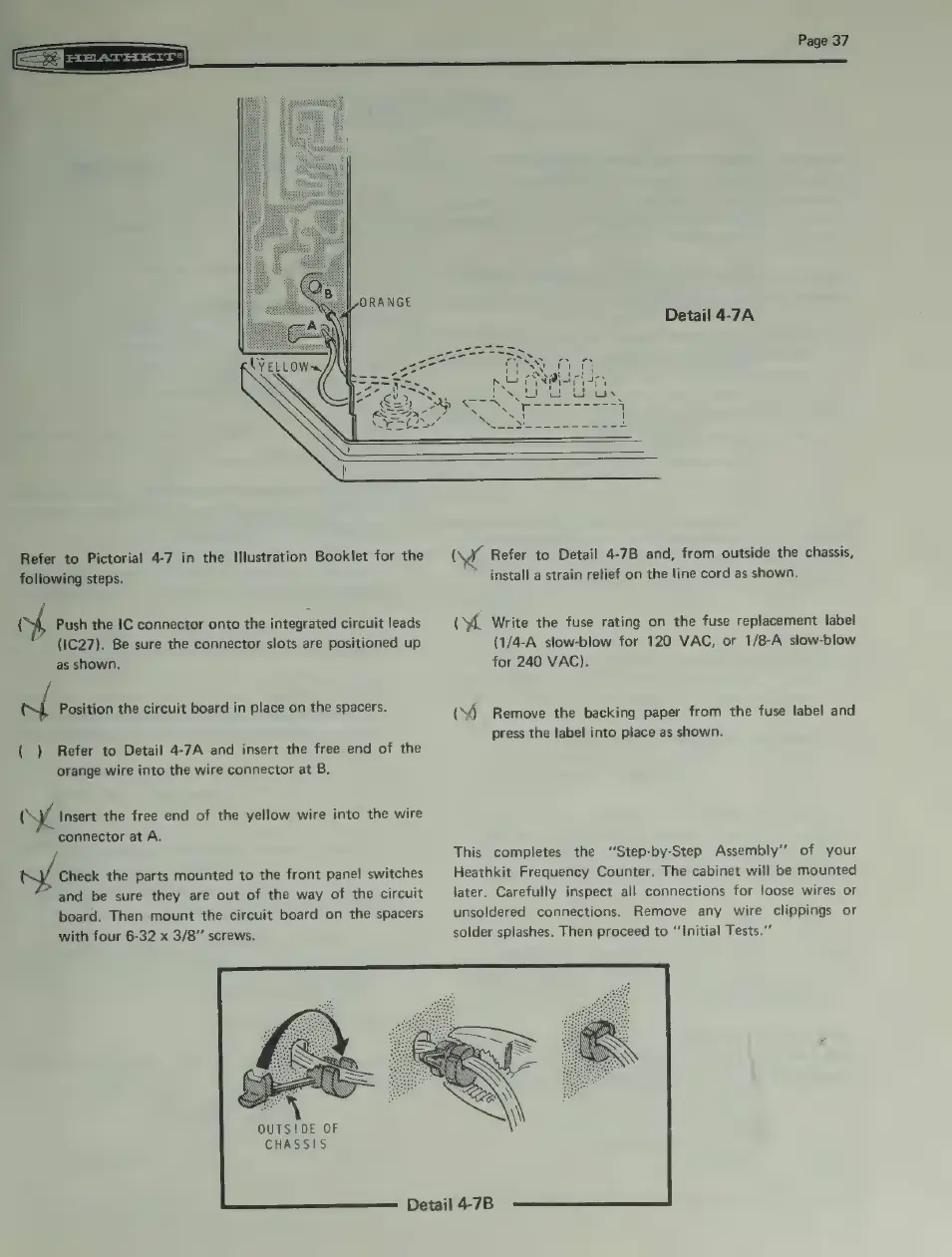
ORANGE
Refer
to
Pictorial
4-7
in
the
Illustration
Booklet
for
the
following
steps.
of
Push
the
IC
connector
onto
the
integrated
circuit
leads
(1C27).
Be
sure
the
connector
slots
are
positioned
up
as
shown.
pe
Position
the
circuit
board
in
place
on
the
spacers.
{
)
Refer
to
Detail
4-7A
and
insert
the
free
end
of
the
orange
wire
into
the
wire
connector
at
B.
(
Insert
the
free
end
of
the
yellow
wire
into
the
wire
connector
at
A.
nil
creck
the
parts
mounted
to
the
front
panel
switches
and
be
sure
they
are
out
of
the
way
of
the
circuit
board.
Then
mount
the
circuit
board
on
the
spacers
with
four
6-32
x
3/8”
screws.
OUTSIDE
OF
CHASSIS
Detail
4-7B
Page
37
Detail
4-7A
(
Refer
to
Detail
4-7B
and,
from
outside
the
chassis,
install
a
strain
relief
on
the
line
cord
as
shown.
(%
Write
the
fuse
rating
on
the
fuse
replacement
label
(1/4-A
slow-blow
for
120
VAC,
or
1/8-A
slow-blow
for
240
VAC).
(S)
Remove
the
backing
paper
from
the
fuse
label
and
press
the
label
into
place
as
shown.
This
completes
the
“Step-by-Step
Assembly’’
of
your
Heathkit
Frequency
Counter.
The
cabinet
will
be
mounted
later.
Carefully
inspect
all
connections
for
loose
wires
or
unsoldered
connections.
Remove
any
wire
clippings
or
solder
splashes.
Then
proceed
to
“‘Initial
Tests.”