EasyManua.ls Logo

Heathkit IM-4100 - Page 45

Heathkit IM-4100
82 pages
Print Icon
To Next Page IconTo Next Page
To Previous Page IconTo Previous Page
Loading...
Ge
guHEeatTHKIT®
Page
39
INITIAL
TEST
DIFFICULTIES
not
light.
TROUBLE
CAUSE
GATE
lamp
does
Lamp
not
off.
RESET
button.
Lamp
not
on.
IC18.
Lamp
does
not
blink.
|
Lamp
does
not
blink.
1C16, 1C18,
1C17.
Lamp
not
off.
1C17, 1C18,
114.
Teun)
[terror
No
+5
volt
supply.
OSCILLATOR
switch
not
in
INT.
2eemeatG
S120.
1C13,
1C15.
Pi
MODE
and
TIME
BASE
switches.
FINAL
ASSEMBLY
Refer
to
Pictorial
4-8
in
the
Illustration
Booklet
for
the
following
steps.
if
Mount
the
cabinet
to
the
chassis
with
four
6-32
x
3/8”
black
screws.
od
Refer
to
the
inset
drawing
and
mount
the
plastic
_handle
grip
on
the
handle.
we
Mount
the
handle
to
the
cabinet
with
two
10-32
x
3/8”
thumbscrews
and
two
1/4"’
lockwashers
as
shown.
/
A
Carefully
peel
away
the
backing
paper
from
the
blue
and
white
identification
label.
Then
press
the
label
onto
the
chassis
bottom.
Be
sure
to
refer
to
the
numbers
on
this
label
in
any
communications
you
have
with
the
Heath
Company
about
this
kit.
BEND
OVER
AND
SOLDER
BEND
OVER
AND
CUT
8
ae
Detail
4-8A
NOTE:
If
you
intend
to
operate
your
Counter
from
a
DC
power
supply,
perform
the
following
steps.
Otherwise,
proceed
directly
to
‘’Calibration.”
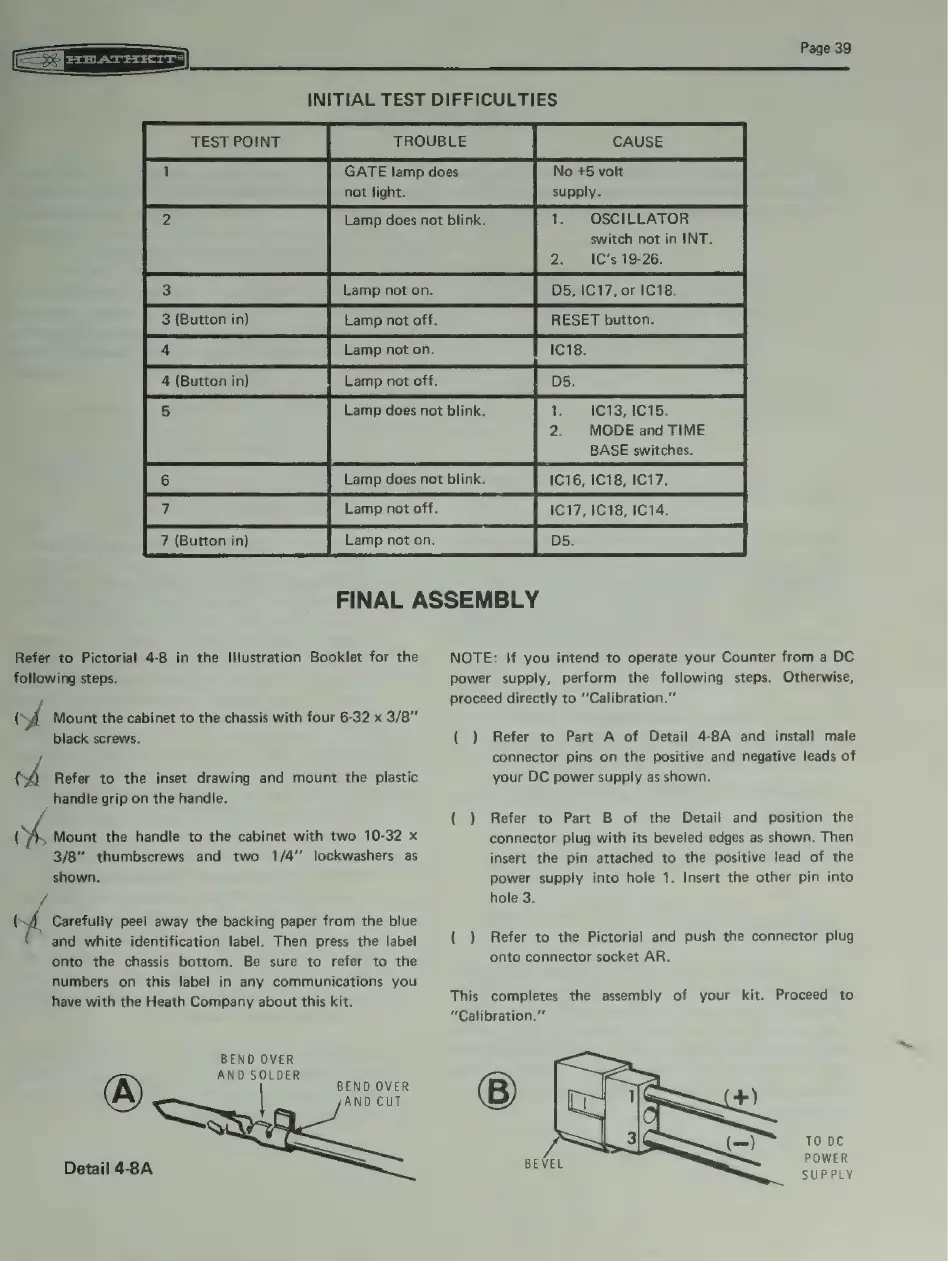
( )
Refer
to
Part
A
of
Detail
4-8A
and
install
male
connector
pins
on
the
positive
and
negative
leads
of
your
DC
power
supply
as
shown.
(
)
Refer
to
Part
B
of
the
Detail
and
position
the
connector
plug
with
its
beveled
edges
as
shown.
Then
insert
the
pin
attached
to
the
positive
lead
of
the
power
supply
into
hole
1.
Insert
the
other
pin
into
hole
3.
(
)
Refer
to
the
Pictorial
and
push
the
connector
plug
onto
connector
socket
AR.
This
completes
the
assembly
of
your
kit.
Proceed
to
“Calibration.”
TO
DC
POWER
SUPPLY