EasyManua.ls Logo

HEC AS09TB1HRH - User Manual

HEC AS09TB1HRH
8 pages
Print Icon
To Next Page IconTo Next Page
Loading...
WARNING
!
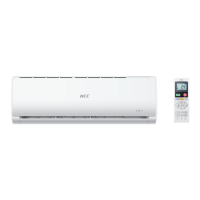
Ductless Split heat pump
User Manual
Design may vary by model number.
This system should be installed by a
HVAC professional. Do not attempt to install
the air conditioner by yourself because
incorrect installation may cause
water
leakage, personal injury or death.
When abnormalities such as a burnt-smell are
found, immediately power
the main switch
and contact a licensed contractor.
Do not obstruct or cover the ventilation grille
on the air conditioner. Do not put
or
any other things into the inlet/outlet or swing
louver.
Do not allow children to play with the air
conditioner. Children should never be allowed
to sit on the outdoor unit
Please read this manual before using the air conditioner.
Keep this user manual for future reference.
Cautions and Warnings ................................. 1
Controller Features & Settings ...................... 2
Emergency Operation & Maintenance ........... 5
Troubleshooting ............................................ 6
TABLE OF CONTENTS
PAGE 1
0010590559
Indoor
AS09TB1HRH
AS12TB1HRH
AS15TD1HRE
AS18TD1HRE
AS24TE1HRE
Outdoor
1U09BU1ERH
1U12BU1ERH
1U15RU1ERE
1U18RU1ERE
1U24SU1ERE

Questions and Answers

Summary

Safety Warnings

General Safety Precautions

Highlights critical safety warnings for installation and operation, including professional installation and avoiding hazards.

Controller Features & Settings

Power Button

Description of the ON/OFF button for starting and stopping the unit.

TURBO Button

Explains the TURBO function for fast heating or cooling and how to cancel it.

COOL Button

Details the operation of the unit in COOL mode, including auto fan speed adjustment.

HEAT Button

Describes the HEAT mode, including warm air output and auto fan speed.

DRY Button

Explains DRY mode for humidity reduction and intermittent operation.

Temperature +;- Buttons

Instructions for adjusting temperature settings within the operating range.

AUTO Button

Information on AUTO mode operation and automatic fan speed selection.

FAN Button

How to select fan speed, including AUTO, LOW, MED, and HI settings.

Louver SWING Button

Details on controlling air flow direction, including up/down and left/right adjustments.

Timer Button

Instructions for setting ON, OFF, or ON-OFF timers for the unit.

SLEEP Button

Explains the SLEEP mode for customized temperature adjustments during rest.

EXTRA FUNCTION Button

Covers advanced functions like intelligent airflow, Fahrenheit/Celsius shift, and QUIET mode.

Emergency Operation & Maintenance

Emergency Operation

Guidance on using the unit when the remote control is defective or lost.

Inserting the Batteries

Instructions for correctly inserting AAA batteries into the remote control.

Optimizing Performance

Tips for maximizing unit performance, including closing doors and not blocking airflow.

Cleaning the Air Filter

Step-by-step guide for cleaning the air filter, recommended every two months.

Troubleshooting

Before asking for service

Provides a checklist of common issues and solutions to check before contacting service.

Summary

Safety Warnings

General Safety Precautions

Highlights critical safety warnings for installation and operation, including professional installation and avoiding hazards.

Controller Features & Settings

Power Button

Description of the ON/OFF button for starting and stopping the unit.

TURBO Button

Explains the TURBO function for fast heating or cooling and how to cancel it.

COOL Button

Details the operation of the unit in COOL mode, including auto fan speed adjustment.

HEAT Button

Describes the HEAT mode, including warm air output and auto fan speed.

DRY Button

Explains DRY mode for humidity reduction and intermittent operation.

Temperature +;- Buttons

Instructions for adjusting temperature settings within the operating range.

AUTO Button

Information on AUTO mode operation and automatic fan speed selection.

FAN Button

How to select fan speed, including AUTO, LOW, MED, and HI settings.

Louver SWING Button

Details on controlling air flow direction, including up/down and left/right adjustments.

Timer Button

Instructions for setting ON, OFF, or ON-OFF timers for the unit.

SLEEP Button

Explains the SLEEP mode for customized temperature adjustments during rest.

EXTRA FUNCTION Button

Covers advanced functions like intelligent airflow, Fahrenheit/Celsius shift, and QUIET mode.

Emergency Operation & Maintenance

Emergency Operation

Guidance on using the unit when the remote control is defective or lost.

Inserting the Batteries

Instructions for correctly inserting AAA batteries into the remote control.

Optimizing Performance

Tips for maximizing unit performance, including closing doors and not blocking airflow.

Cleaning the Air Filter

Step-by-step guide for cleaning the air filter, recommended every two months.

Troubleshooting

Before asking for service

Provides a checklist of common issues and solutions to check before contacting service.

HEC AS09TB1HRH Specifications

General IconGeneral
HSPF10
RefrigerantR410A
Cooling Capacity (BTU/h)9000
Noise Level50 dB(A)
Weight (Outdoor Unit)28 kg
