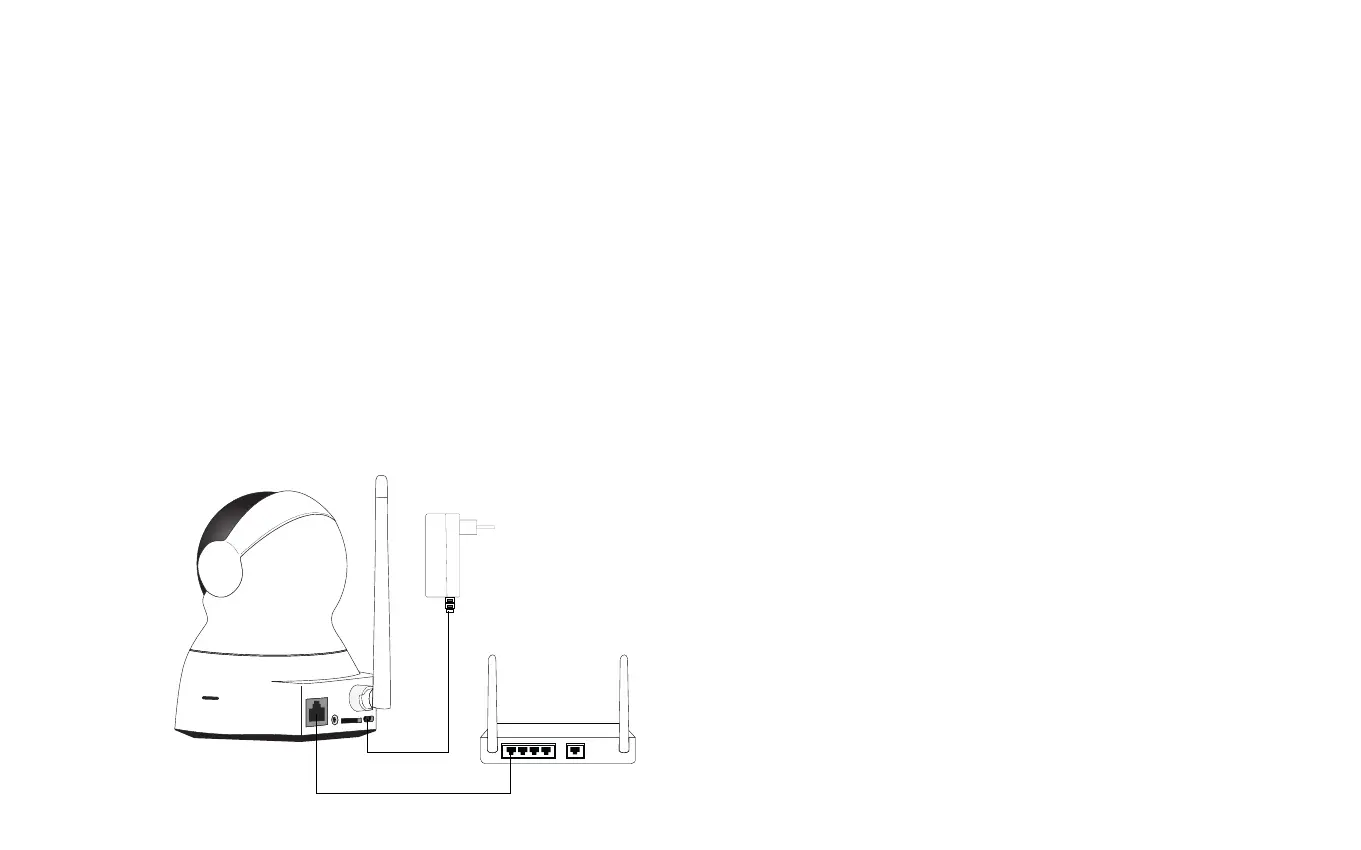
LAN port
1.
Connect the power cable (B) to the camera (H).
Insert the power cable into the correct USB
power adapter (C). Connect the USB power
adapter to a wall socket.
Connect the ethernet cable (D) to the camera (H)
and to an internet connected home router.
Set up with either the
Ethernet cable or WiFi.
You must choose before getting started
Setup via Ethernet cable
2.
At the top of your screen you recieve a notication for
an uncongured device. Click congure to enter the
found devices list.
Click Congure to add the camera to a specic room
See the congure and usage page for additional
setting options.
4.
3.


 To Next Page