6.
At the top of your screen you recieve a notication for
an uncongured device. Click congure to enter the
found devices list.
Click Congure to add the camera to a specic room
See the congure and usage page for additional
setting options.
7.
5.
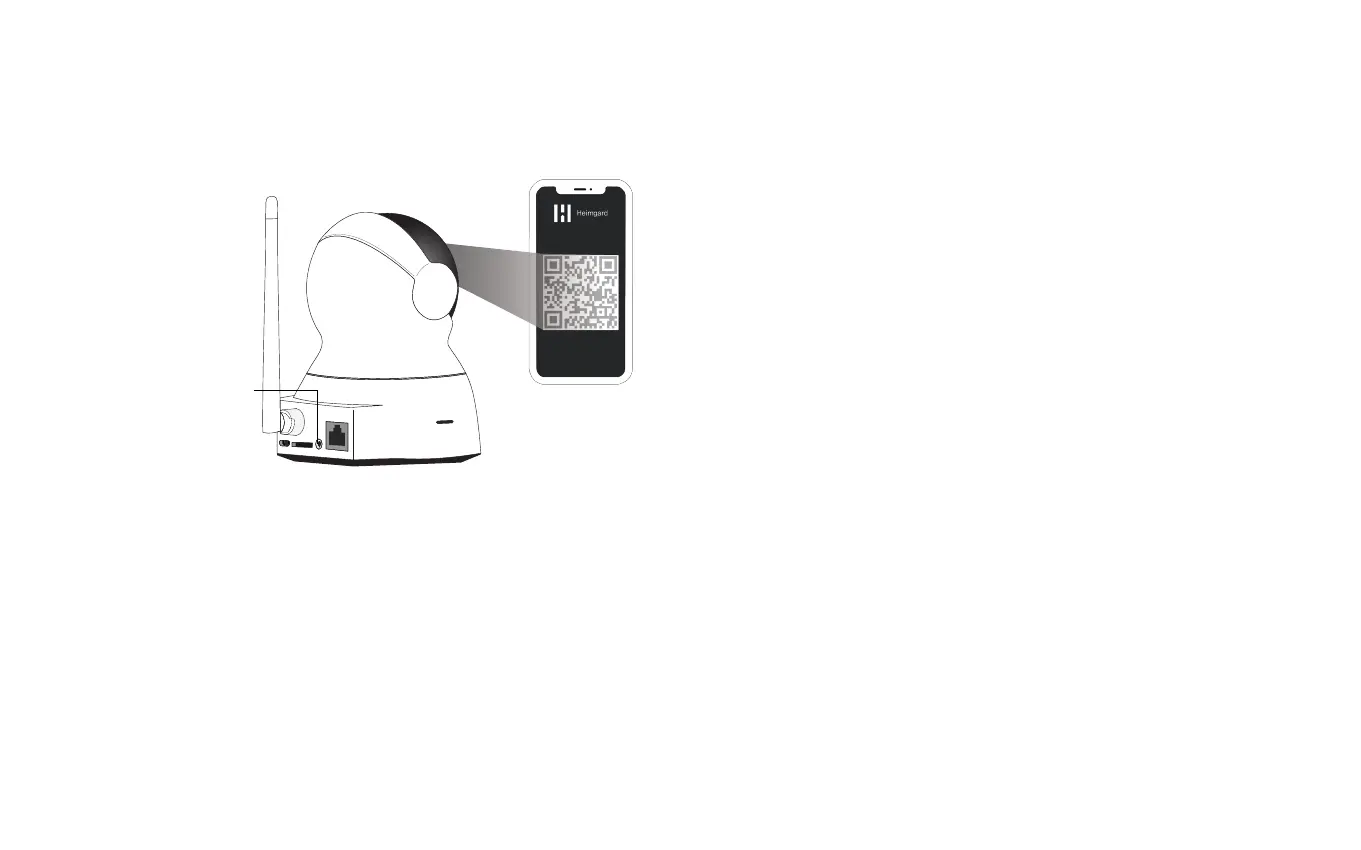
Flashes blue
and red
10-30 cm
Present the QR code in front of the camera. The
camera will beep twice and the LED light will ash
blue/red while connecting to your WIFI network..
Use max brightness on your phone
Congure
and use
Advanced Settings: The camera can be used for two
purposes; Record and Generic.
Generic:
The camera will not record when it detects motion.
You can manually stream and initiate recordings in
the app.
Note: The camera will record up to 5 minutes clips.
Record
On motion: The camera will record while it detects
motion.
On motion when away: The camera will record when
the alarm is set to away and motion is detected by
the camera.
Note: The camera will record while it detects motion
(up to 5 minutes clips). If there is still motion after 5
minutes the continuation of the previous recording
will be found in another clip.


 To Next Page