www.heinner.com 19W, 50Hz, 220-240V
21
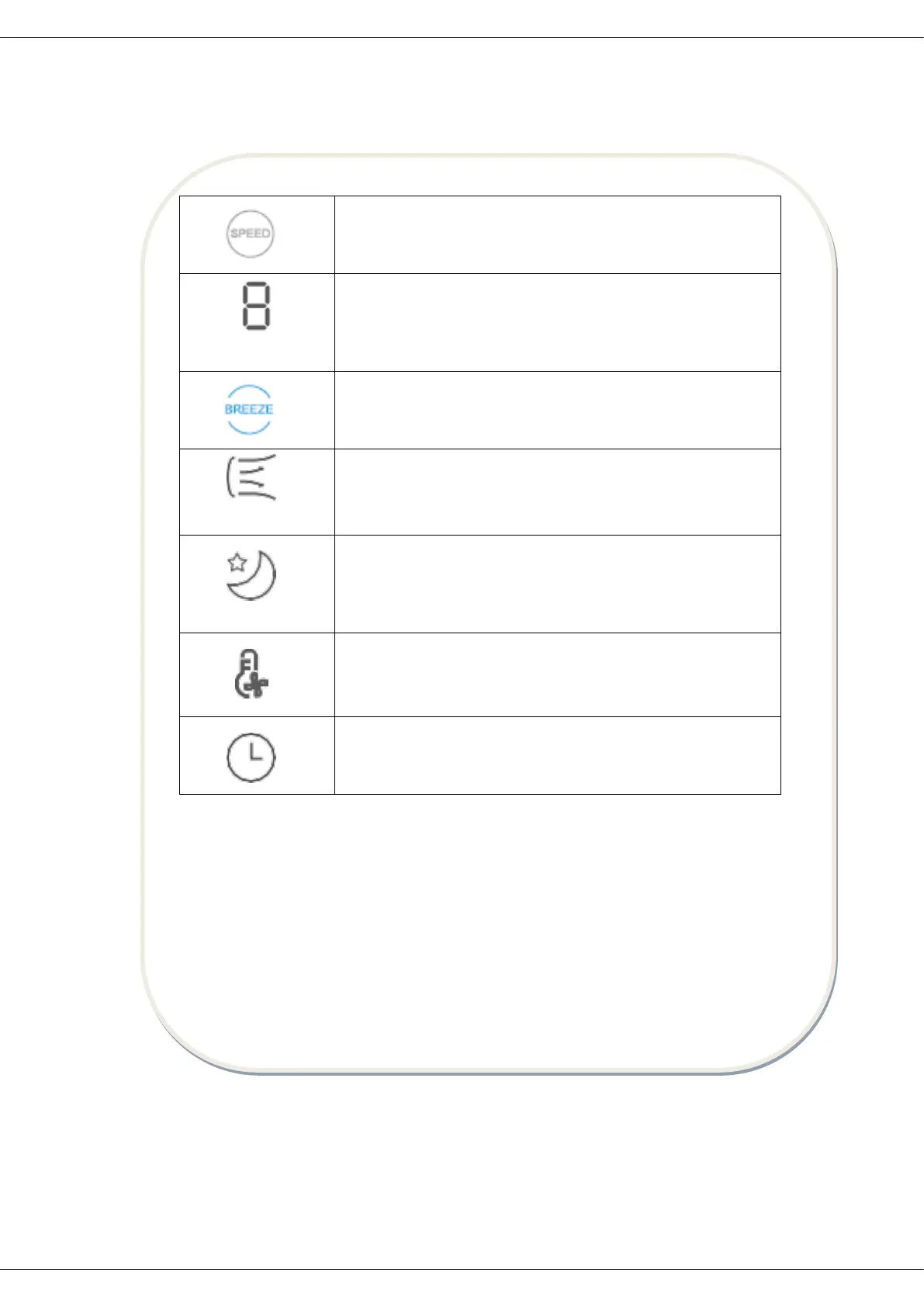
This key can be short pressed to switch the wind speed
This key can be long pressed to switch the wind type (cycle:
normal wind-gentle wind-sleep wind-normal wind).
The numbers “1, 2, ..., 8, 9” on the display indicate the
normal wind speed and gear.
(Remark: There is no icon displayed for normal wind).
This key can be short pressed to start up / shut down the
gentle wind. This key can be long pressed to start up / shut
down the mode of the wind changing with the temperature.
In the gentle wind mode, the indicator will be turned on,
and it can be cycled among gear 1, 2, and 3.
The required gentle wind speed can be adjusted by pressing
the wind speed key.
In sleep wind mode, this indicator will be turned on and the
wind speed of the fan can be automatically adjusted
according to the established program. There are three
gears, i.e. "1, 2, 3", and the required sleep wind speed can
be adjusted by pressing wind speed key.
This indicator will be lit up in the mode of the wind changing
with the temperature.
This mode can intelligently adjust the wind power according
to the change of ambient temperature.
The time of the machine can only be set on the remote
control, and this indicator will be turned on in the timing
state.
Remote Control Panel
Note:
- The remote control should be normally used within 5 meters of the front of
the product and 30 degrees of the deviation angle.
- The battery contains many heavy metals, acids and bases, etc., which may
threaten human's health. Waste batteries should be recycled separately.



 To Next Page