Need help?
Do you have a question about the heinrichs weikamp OSTC 2N and is the answer not in the manual?
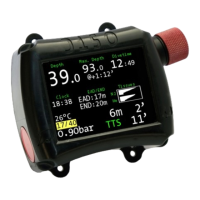
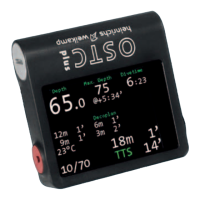
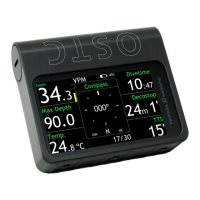
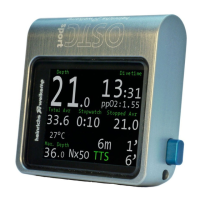
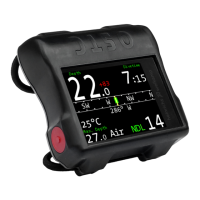
Details the core functions of the OSTC 2N dive computer, including display, planning, and recording capabilities.
Illustrates and labels the left, front, and top components of the OSTC 2N dive computer.
Illustrates and labels the right and bottom components of the OSTC 2N dive computer.
Highlights the importance of diver competence, knowledge, and safe use of the computer.
Advises on dive planning, checking firmware stability, correct configuration, battery charge, and device waterproofing.
Offers guidance on using a backup system, personal use, and surface interval adherence.
Warns against hardware modification and improper handling of seals, recommending keeping the device away from children.
Provides detailed instructions on how to charge the OSTC 2N battery using the USB connector.
Describes the three operational modes: Surface, Dive, and Sleep, and how the device transitions between them.
Explains how to configure the OSTC 2N for different dive types and decompression calculation models.
Provides options to reset settings, stop calculation, delete data, or restart the OSTC 2N.
Enables inspection and modification of base settings for OSTC 2N functions.
Guides users on configuring presets for up to five gas mixes for switching during dives.
Explains how to specify oxygen and helium fractions for each gas mix preset.
Explains how to set a gas mix as the 'First Gas' and manage active gas availability.
Explains how to reboot the OSTC 2N, often required after firmware installation.
Clears current decompression data, resetting saturation for the next dive.
Introduces custom parameters that control the functions and behavior of the OSTC 2N.
Guides on dividing and setting custom functions into menus and adjusting parameter values.
Guides on selecting the dive setting and type of decompression calculation for the OSTC 2N.
Guides on setting and adjusting oxygen partial pressure for CCR setpoints.
Aids in planning by calculating decompression stops based on planned depth and bottom time.
Guides on selecting preset gas mixes or setpoints and bailout gases for OC, CC, or Gauge modes.
Explains that the battery is sealed and replacement requires professional service due to safety reasons.
Guides on installing the necessary device driver for connecting the OSTC 2N to a computer.
Explains how to use software applications like DivingLog for data transfer and configuration.
Advises on using the latest stable firmware available from the manufacturer's website.
 General
| Brand | heinrichs weikamp |
|---|---|
| Model | OSTC 2N |
| Category | Diving Instrument |
| Language | English |

 To Next Page