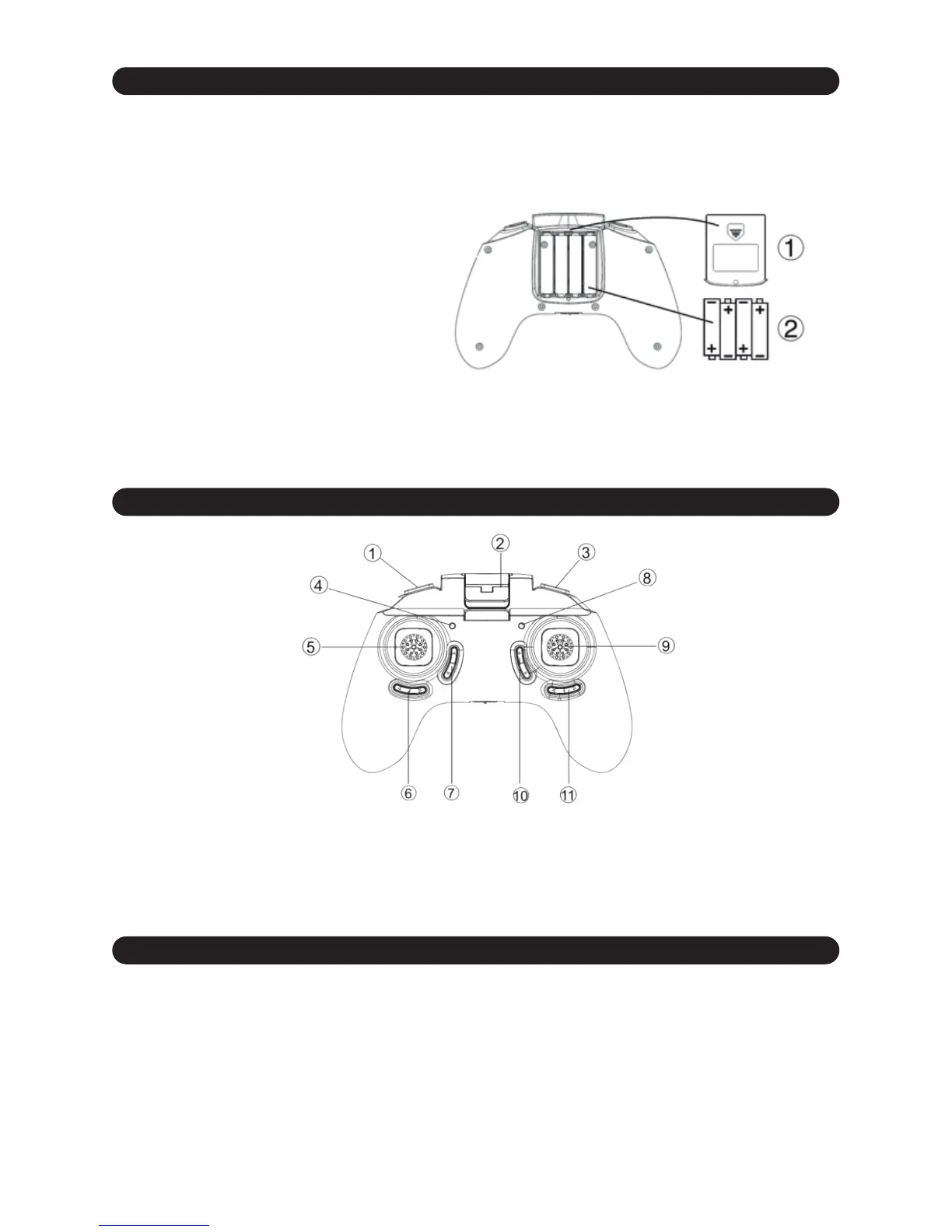
5.1 INSERTING THE BATTERIES
5.2 REMOTE CONTROLLER COMMANDS
5.3 BINDING THE REMOTE CONTROLLER WITH THE VR-RACER
To insert the batteries in the transmitter, remove the battery compartment cover and insert 4 “AAA”
size 1.5v batteries (included) / paying special attention to the their position to ensure that the
transmitter operates correctly. You may need to use a screwdriver to open the rear cover.
Recommendations:
Batteries must be fitted under the supervision of an adult.
Do not mix new batteries with used ones.
1. Connect your VR-Racer
b
attery, having first checked that it is correctly charged. If your model
has an on/off switch, make sure it is in the ON position.
2. Place your VR-Racer on a flat surface.
3. Pull and hold the transmitter left control joystick downwards.
4. Turn on the transmitter.
5. Very slowly, move the left control joystick to its upper limit and then move it down slowly.
If you have followed these steps correctly, at the moment when the left control joystick returns to its
starting position in the lower section, you will see how the LED light stop flashing that tells you that
the transmitter and VR-Racer are now synched.
1. Speed selector
2. Smartphone holder
3. Camera button
4. Power Led
5. Left control stick / Speed Selector
6. Manual Trim A
7. Manual Trim B
8. Camera LED
9. Right control stick / Flip&Roll button
10. Manual Trim C
11. Manual Trim D
Do not mix batteries of different kinds.


 To Next Page