
 Need help?
Do you have a question about the Heliodyne Delta T Pro and is the answer not in the manual?
General safety instructions for installation and use of the controller.
Overview of the Delta-T Pro controller's purpose and capabilities.
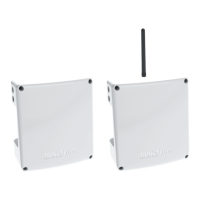
Lists the available Delta-T Pro controller models.
Lists the necessary hardware and software for initial setup.
Details network requirements for controller communication.
Explains the necessity of surge protection for the Delta-T Pro.
Instructions for wiring relays, emphasizing professional installation.
Instructions for mounting the controller box securely indoors.
Diagram and explanation of the controller's input and output connections.
Details power wiring and LED indicators for the controller.
Information on adjusting the voltage switch for 230VAC supply.
Explains wiring and functions of Relay 1.
Explains wiring and functions of Relay 2.
Explains wiring and functions of Relay 3.
Lists the types of sensors supported by the Delta-T Pro.
Describes the two available mounting styles for thermistor temperature sensors.
Details supported flow and pressure sensors and their ranges.
Purpose and warnings for the T1 collector sensor.
Purpose and warnings for the T2 low tank sensor.
Purpose and warnings for the T3 high tank sensor.
Purpose and warnings for the T4 sensor.
Purpose and warnings for the T5 sensor.
Purpose and warnings for Grundfos VFS and T6.
Purpose and warnings for Grundfos RPS and T7.
Description of additional functions like thermostat detection and relay control.
How to connect thermostats for zone detection and their function.
Explanation of 0-10VDC outputs for variable speed pumps.
How to connect a pulse flow meter as an alternative to VFS.
How to manually control relays (ON, OFF, AUTO).
How to reset network parameters using a reset button.
Alternative uses for Grundfos pressure signals (CT, pyranometer).
How to connect the DTT Pro using Modbus protocol for BAS.
Overview of internet connectivity via Ethernet/WiFi for monitoring.
Steps to connect the controller via mini-USB for setup and monitoring.
How to access the controller UI via IP address on the local network.
Details on setting up Ethernet or WiFi for internet connection and monitoring.
Steps to configure Ethernet using DHCP.
Steps to configure Ethernet using a static IP address.
Steps to configure WiFi using DHCP or static IP.
Instructions for downloading system data to a USB drive.
Quick setup parameters for basic DHW systems.
Configuration of system operation modes and parameters.
How to change the settings login password.
Importance and setting of the system clock for data logging.
Enabling RTU or TCP communication via Modbus.
Links for setting up monitoring communication and downloading data.
Section detailing operation settings and parameters.
Settings and parameters for Solar Relay operation.
Using Relay 2 in aquastat operation for specific system types.
Configuration for using Relay 3 for gas tank operation.
Configuring Relay 3 for timer-based operation.
Using Relay 3 in aquastat operation.
Configuring Relay 3 for simple differential operation.
Configuration for sensors and metering for energy calculation.
Settings for sensors and metering for energy calculation.
How to rename temperature sensors in the UI.
Settings for monitoring electricity usage with CTs.
Settings for monitoring solar insolation with a pyranometer.
Steps to update the controller's firmware.
Overview of local and web-based monitoring capabilities.
Details on local monitoring of sensor and energy data.
Description of the ENERGY page for sensor and energy data.
Downloading historical data from the SETTINGS page.
Information on the Heliodyne Web Monitoring service.
Steps to set up the controller for Heliodyne Web Monitoring.
Information on enabling the Flash plugin for web monitoring.
General guidance for testing and troubleshooting the Delta-T Pro.
Methods for testing controller power, relays, and sensors.
Solutions for common communication and network connection problems.
Solutions for common operational issues like sensor readings and pump control.
Detailed warranty terms and conditions for Heliodyne products.
The Heliodyne Delta-T Pro Control Unit is a sophisticated controller designed for solar thermal systems, offering comprehensive management for domestic hot water, space heating, industrial process heating, and general heat metering applications. It is available in two models: an Ethernet-only version (DLTA 000 005) and a Wi-Fi + Ethernet version (DLTA 000 008).
The Delta-T Pro controller's primary function is to optimize solar thermal system performance by managing pumps and valves based on temperature differentials and other system parameters. It supports various operating modes, including Open Loop Residential DHW, Closed Loop Residential DHW, Closed Loop Commercial, Closed Loop Combination, and Closed Loop Pool Heating. Each mode comes with default parameter profiles optimized for specific system types.
The controller features a user interface accessible via a PC or Mac through its mini-USB port or by accessing its assigned IP address with a web browser. When connected to the internet, it can transmit data to the Heliodyne monitoring site for remote data logging, allowing users to view and download system performance in terms of temperature, flow rate, pressure (optional), and instantaneous and time-integrated energy production.
 General
| Brand | Heliodyne |
|---|---|
| Model | Delta T Pro |
| Category | Control Unit |
| Language | English |

 To Next Page