

EasyManua.ls Logo

Heljan 89001 - User Manual

Heljan 89001
16 pages
Print Icon
To Next Page IconTo Next Page
Loading...
8900
1
CONTAINER
TERMINAL
MANUAL
Question and Answer IconNeed help?

Do you have a question about the Heljan 89001 and is the answer not in the manual?

Summary

Introduction to the Container Terminal

Before You Start

Read the manual carefully before unpacking and using the crane for the first time.

Assembling the Base Element

Details on assembling the base element, including drilling holes and connecting tracks.

Installing the Tracks

Instructions for installing the included OO scale tracks on the base element.

Power Supply and Control Unit

Power Supply

Details on the required voltage and amperage for the power packs.

The Control Unit

Details on the control unit, its connections, and initial setup for operation.

Operating the Gantry and Trolley

Driving the Gantry

Instructions for moving the gantry left or right using the control unit buttons.

Driving the Trolley

Instructions for moving the trolley forwards or backwards using control unit buttons.

Driving Gantry and Trolley Simultaneously

How to operate both the gantry and trolley at the same time using control unit buttons.

Raising or Lowering the Hoist

Steps to raise or lower the hoist using the function button and directional buttons.

Advanced Operations and Functions

Turning the Hoist Around

How to rotate the hoist using the function button and directional buttons.

Magnet and Spotlight Control

Instructions for turning the magnet and spotlight on/off using control unit buttons.

Gantry Light and Direction Control

How to control the gantry light and change the driving direction.

Handling Short Circuits

Information on identifying and clearing short circuits, indicated by 'OFF' in the display.

Configuration and Settings

Setting the Speed

How to adjust speed for gantry, trolley, and hoist decoders using control unit buttons.

Decoder Speed Settings Explained

Explanation of display codes for speed settings like Gantry (Gt), Trolley (to), and Hoist (Hu/Hd).

Reprogramming Crane Addresses

Steps to reprogram crane addresses, including choosing a new address and pressing 'S'.

Technical Configuration Variables

Trolley; Hoist Decoder Variables

Details on configuration variables for trolley and hoist functions, including speed and timing.

Gantry Decoder Variables

Details on configuration variables for gantry functions, including speed, lighting, and address.

Product Features

Adjustable Movements and Lighting

Highlights adjustable speedsteps, gantry floodlight, and operator spotlights.

Control and Connectivity Features

Covers control of multiple cranes, DCC system compatibility, and wired/wireless operation.

Design and User-Friendly Operation

Details asymmetrical boom design, powered track operation, and user-friendly controls.

Accessories

Base Element Extension Set

Extends the basic container terminal set with additional base sections and fittings.

Track Extension Set

Provides additional OO scale tracks and connectors for extending the layout.

HELJAN Containers and Adapters

Set of containers with adapters and separately sold metal adapters for compatibility.

Electronic Turntable

Turntable Features

Highlights detailed bridge, weathered pit, motorized drive, and programmable indexing.

Turntable Accessories

Lists connecting tracks for Märklin C-tracks and K-tracks.

Overview

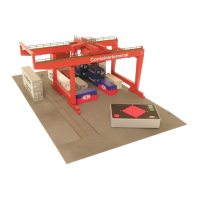
The HELJAN Container Terminal is a digitally controlled model crane designed for model railway layouts, offering a realistic and interactive experience for managing container traffic. It allows for the movement of containers between trains, trucks, and ships on a model scale.

Function Description

The core function of the Container Terminal is to simulate the operation of a real-world container crane. It consists of a gantry with a trolley and hoist, a control unit, and base elements with crane rails and tracks. The crane can move containers horizontally along the gantry (gantry movement) and across the gantry (trolley movement), as well as vertically (hoist movement) to pick up and place containers. The control unit acts as the "brain" of the system, managing all crane functions and allowing for speed adjustments.

Important Technical Specifications

  • Power Supply: The control unit operates with either AC or DC power packs, requiring 14-16 V and 2.5 A.
  • Dimensions (Basic Model): The basic model measures 33 x 57 cm.
  • Scales: Includes OO scale tracks (22.6 cm long).
  • Control: Digitally controlled, but designed for simple operation without requiring specific digital system experience.
  • Crane Capacity: One control unit can manage up to three cranes.
  • Container Stacking: Capable of stacking up to three containers.
  • Extension: The base element is extendable with additional base elements, limited only by power loss and available space.
  • Track Capacity: The basic set includes two OO scale tracks, but up to five tracks can be installed (four beneath the crane and one next to it).
  • Connectivity: Features connections for a power pack, the crane, a joystick, and a PC (for advanced control, details on www.heljan.dk).
  • Digital Address: The crane can be controlled by an existing DCC-system and its digital address can be changed like an ordinary locomotive.
  • Power and Control: The crane can be powered and controlled via the nearest available powered track when operating via DCC, minimizing wiring.

Usage Features

The Container Terminal offers a range of user-friendly features for realistic operation:
  • Gantry Movement: Pressing 'E' (East) moves the gantry right, and 'W' (West) moves it left.
  • Trolley Movement: Pressing 'N' (North) moves the trolley forwards, and 'S' (South) moves it backwards.
  • Simultaneous Movement: The gantry and trolley can be driven simultaneously by pressing combinations of 'N', 'E', 'S', and 'W' buttons.
  • Hoist Operation: Holding 'F' (Function) and pressing 'N' raises the hoist, while holding 'F' and pressing 'S' lowers it.
  • Hoist Rotation: Holding 'F' and pressing 'E' or 'W' turns the hoist around.
  • Magnet Control: Pressing 'M' (Magnet) turns the magnet on or off for picking up and releasing containers.
  • Lighting:
    • Spotlight: Pressing the grey 'S' (Searchlight) button turns the spotlight on and off.
    • Gantry Light: Pressing 'G' (Gantry Light) turns the gantry light on and off.
  • Multi-Crane Control: The control unit can switch between controlling up to three cranes by holding 'F' and pressing 'M'. This feature is not available when using a joystick or PC.
  • Driving Direction Change: A switch allows changing the driving direction of the gantry and trolley, affecting the control unit, joystick, and PC-system.
  • Speed Adjustment: Users can adjust the speed of various crane movements (gantry, trolley, hoist up/down, turn right/left) in 9 individual speed steps. This is done by holding 'F', pressing 'S' or 'G' to select the decoder (e.g., 'SP:Gt' for Gantry decoder), then using 'S' or 'G' to adjust the speed, and finally pressing 'M' to confirm.
  • Container Compatibility: Users can use their own containers by adding a metal adapter (available as an optional accessory) inside.
  • Asymmetrical Gantry Boom: The crane is designed with an asymmetrical gantry boom to facilitate harbour operations with container ships.
  • "Turn Key" Operation: The system is designed for easy setup with no wiring required between track and gantry, or between gantry and trolley.
  • Twin-Key Toggle: User-friendly operation for multiple cranes on the layout is achieved through a twin-key toggle on the control unit.

Maintenance Features

  • Short Circuit Protection: In case of a short circuit, the display will flash "OFF," and power to the crane will be turned off. After resolving the short circuit, pressing 'F' restores power.
  • Hoist String Management: To prevent the hoist strings from tangling, users should avoid obstructions when lowering the hoist. If the hoist rests at an angle, it should be raised until it reaches the trolley and held for a short while to reset it to a horizontal position.
  • General Maintenance: The manual emphasizes the importance of keeping tracks and wheels clean for optimal performance.
  • Unpacking Instructions: Users are advised to carefully unpack the base elements first and assemble them before unpacking the crane itself, to avoid damage.
  • Start-up Procedure: All connections must be made before turning on the power. If using a joystick, it should not be moved during the start-up phase to prevent malfunctions. Unplugging the joystick while in use will interrupt the signal.

Heljan 89001 Specifications

General IconGeneral
BrandHeljan
Model89001
CategoryToy
LanguageEnglish