
EasyManua.ls Logo

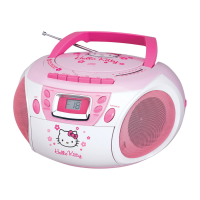
Hello Kitty KT2028A - User Manual

Hello Kitty KT2028A
11 pages
Print Icon
To Next Page IconTo Next Page
Loading...
AM/FM STEREO CD CASSETTE RECORDER
USER MANUAL
KT2028A
CAUTION: Electrically Operated Product – Please use care
when plugging into AC outlet.

Other manuals for Hello Kitty KT2028A

Questions and Answers

  • P
    Paige TurnerAug 14, 2025
    What to do if Hello Kitty Portable Stereo System CD skips?
    • C
      Cindy WilliamsAug 14, 2025
      If your Hello Kitty Portable Stereo System CD skips while playing, it's likely due to a dirty or scratched disc. Try wiping the CD with a clean cloth, or use another disc to see if that resolves the issue.
  • C
    craigterryAug 17, 2025
    Why is Hello Kitty Portable Stereo System sound distorted on AM/FM?
    • P
      Patricia Blackwell DDSAug 17, 2025
      If you're getting noise or distorted sound on AM or FM broadcasts with your Hello Kitty Portable Stereo System, it could be due to the station not being tuned properly. For FM, make sure the telescopic antenna is extended. For AM, reposition the unit until you get the best reception. Try retuning the AM or FM broadcast station.
  • S
    Sarah FordAug 21, 2025
    What to do if Hello Kitty Portable Stereo System CD player will not play?
    • B
      Billy HayesAug 21, 2025
      If your Hello Kitty Portable Stereo System CD player will not play, first ensure the unit is in CD function mode. Check that the CD is inserted correctly with the label side up. If it's a self-compiled CD, the media might not be compatible; try using better quality blank media. Also, check if the batteries are exhausted and replace them with new ones.
  • C
    Christine GonzalezAug 25, 2025
    Why does Hello Kitty Portable Stereo System CD player have intermittent sound?
    • K
      Kimberly RiggsAug 25, 2025
      If you experience intermittent sound from the CD Player on your Hello Kitty Portable Stereo System, it could be due to a dirty or defective disc, a dirty pickup lens, or excessive shock or vibration. Try cleaning or replacing the disc. Use a CD-lens cleaning disc to clean the lens. Relocate the player away from sources of shock or vibration.
  • C
    cassandra30Aug 27, 2025
    Why Hello Kitty Portable Stereo System AM/FM has no sound?
    • K
      Kimberly LewisAug 27, 2025
      If you're not getting any sound from the AM or FM radio on your Hello Kitty Portable Stereo System, make sure the unit is in RADIO function mode by sliding the Function/Power Switch to RADIO. Also, check that the volume isn't set to minimum and increase it.
  • M
    Michelle LewisAug 31, 2025
    Why Hello Kitty Portable Stereo System cassette player has no sound?
    • B
      Brooke McleanAug 31, 2025
      If you're not getting any sound from the cassette player on your Hello Kitty Portable Stereo System, ensure the unit is in TAPE function mode by sliding the Function/Power Switch to TAPE. Also, make sure the volume isn't at its minimum; increase the volume.
  • P
    Paul BradfordSep 3, 2025
    How to fix Hello Kitty Portable Stereo System that will not record?
    • L
      Lisa ReyesSep 3, 2025
      If the cassette recorder on your Hello Kitty Portable Stereo System won't record, it's likely that the prevention tab has been removed from the cassette. Cover the hole with tape to enable recording.
  • J
    Jeffery PriceSep 6, 2025
    Why is Hello Kitty Portable Stereo System sound distorted on playback?
    • L
      Lisa WestSep 7, 2025
      If the sound from your Hello Kitty Portable Stereo System is distorted during playback, it could be due to a defective tape or a dirty tape head. Try replacing the tape or cleaning the tape head.
  • E
    Edward LopezSep 10, 2025
    Why does Hello Kitty Portable Stereo System tape speed vary?
    • N
      Nathaniel MillerSep 10, 2025
      If the speed varies when playing cassettes on your Hello Kitty Portable Stereo System, it could be due to an old or worn tape, or a dirty roller and capstan. Try replacing the tape and cleaning the roller and capstan.

Summary

Important Safety Instructions

Safety and Operation Precautions

Protection Against Laser Energy Exposure

Guidelines for safe operation of the laser in the CD player.

Unit Placement Guidelines

Instructions on where to place the unit for optimal performance.

Condensation Handling

Advice on preventing and handling condensation inside the unit.

Functions and Controls

Power Source

Battery Operation

Details on how to operate the unit using batteries.

AC Operation

Instructions for connecting and using AC power supply.

CD Player Operation

CD Programmed Play

How to play tracks in a programmed sequence.

Radio Reception

Tips for Best Radio Reception

Advice for optimizing AM and FM radio reception.

Cassette Recorder Operation

Automatic Stop System

Explanation of the automatic stop feature for cassette tapes.

Cassette Tape Operating Tips

Aux In Operation

Care and Maintenance

Compliance with FCC Regulations

Troubleshooting Guide

90 Day Limited Warranty and Service

Hello Kitty KT2028A Specifications

General IconGeneral
BrandHello Kitty
ModelKT2028A
CategoryCassette Player
LanguageEnglish