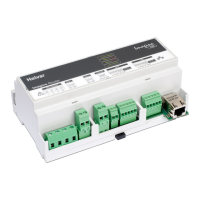
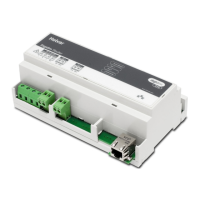
Imagine 920
DALI, S-Dim, DMX Network Router
Installation
Helvar Imagine Router 920: Datasheet
The 920 Imagine Router uses an Ethernet connection
(10/100 Mbps) as a network backbone, to combine Digidim/DALI
and S-DIM networks seamlessly together. Basic functionality is
available ‘out-of-box’ without any programming.
Helvar’s Designer software allows for advanced configuration
and functional programming of the router. The system provides
energy saving features via presence detection and constant
light functionality. Further automation can be achieved through
scheduled events. OPC server software enables interfacing to
Building Management Systems (BMS).
A PC can be connected to the system for diagnostics and logging
purposes, if required, but all data is stored within the system itself
so there is no need for PC control in daily operation. The elimination
of a central controller ensures no single point of failure can cause a
total system shutdown.
Key Features
• Each router supports a total of 128 DALI devices
(64 devices on each subnet)
• 250mApowersupplyforeachDALIsubnet
• Upto100routersmaybenetworkedtogether
• Upto12,800DALIdevices(16,000groups)onaroutersystem
• Industrystandardprotocols(TCP/IPandDALI)
• Built-inreal-timeclock
• Universalsupplyinput
• Upto252S-DIMaddresses
• Upto252DMXaddresses’In’or‘Out’
Installation Notes
• Forinstallationinarestrictedaccesslocationonly
• Isolatethemainssupplybeforeinstallation
• Theexternalmainssupplymustbeprotected.
External protection must not exceed 6 A MCB
• AllDALIandMainscablingmustbe230Vmainsrated
• KeepMainsandDALIwiringseparatefromEthernet,SDIMand
DMXcables
• Installtheunithorizontallytoallowforheatdissipation
• Anyenclosuremustprovideadequatecoolingventilation
• Pleaserefertothe920ImagineRouterInstallationGuide
AC
DALI 1
DMX
DA- DA+ DA- DA+ Source Sink A 0V SC B Term A 0V SC B TermLNE
SC
Link to
terminate
Link to
terminate
LNE
SC
Link / Activity
DALI 2
DMX
Power / Status
ImagineImagine
920920
Imagine Router
Dali 1(85 to 264 VAC) Dali 2 Override SDIM DMX


 To Next Page
 Need help?
 General