SINGLE TIME SETTING OF COFFEE PARAMETERS
8 items as bellow can be set at single time.
• Set the amount of coffee beans during grinding process.
• Set the volume of coffee when making coffee
• Set the making time of milk foam to control volume when making cappuccino
• Set the making time of milk to control volume when making latte
• Set the temperature of hot water before making hot water
• Set the hot water volume when making hot water
• Set the making time of hot milk to c
ontrol volu
me when making hot milk
• Set the making time of hot cream when making hot cream
Detail instructions
You can set the fineness of coffee and the volume of beverage before or during making
the beverage at single time, the setting will not be saved.
13
EN
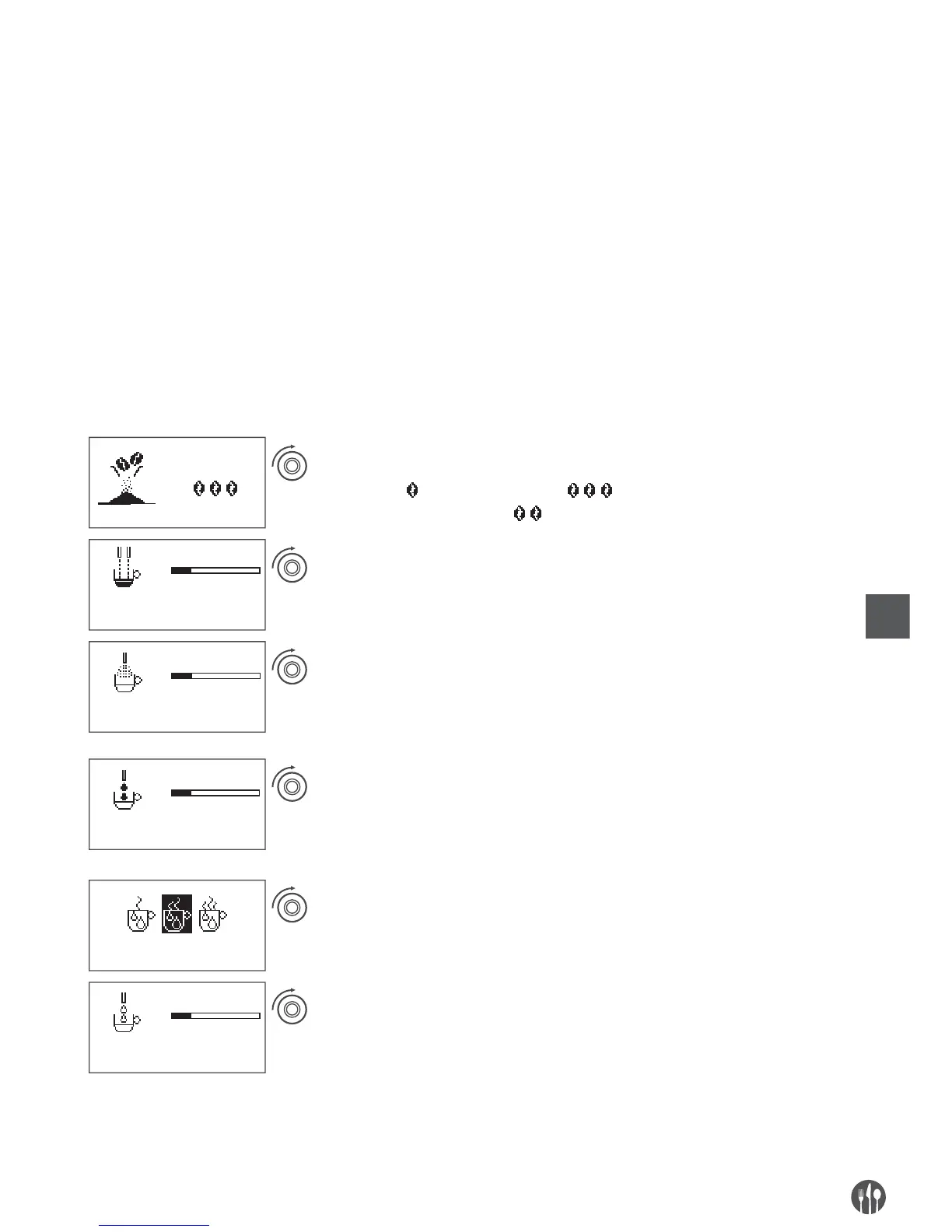
When grinding the coffee beans, you can rotate the
rotary button to adjust the amount of coffee beans,
to left is mild , and to right is strong .
The default amount is normal .
When making coffee, coffee volume can be adjusted
by rotary button. For example, the current volume
is 100 ml, 2 cells to left to reduce to 95 ml, and
2 cells to right to increase to 105 ml.
When making cappuccino, milk foam or coffee latte,
cream making time can be adjusted by rotating the
rotary button while milk foam outflows. For example,
the current time is 20s, 2 cells to left to reduce to 19S,
and 2 cells to right to increase to 21S.
When making hot milk or coffee latte, milk making
time can be adjusted by rotating the rotary button.
For example, the current milk making time is 20S,
2 cells to left to reduce to 19S, and 2 cells to right
to increase to 21S.
Before making hot water, the temperature can be
adjusted by rotating the rotary button. To left is
low, to right is high. The default temperature is
normal.
When making hot water, the hot water volume
can be adjusted by rotating the rotary button. For
example, the current volume is 150ML, 2 cells to
left to reduce to 145ML, and 2 c
ells to r
ight to in-
c
rease to 155ML.


 To Next Page
 Loading...