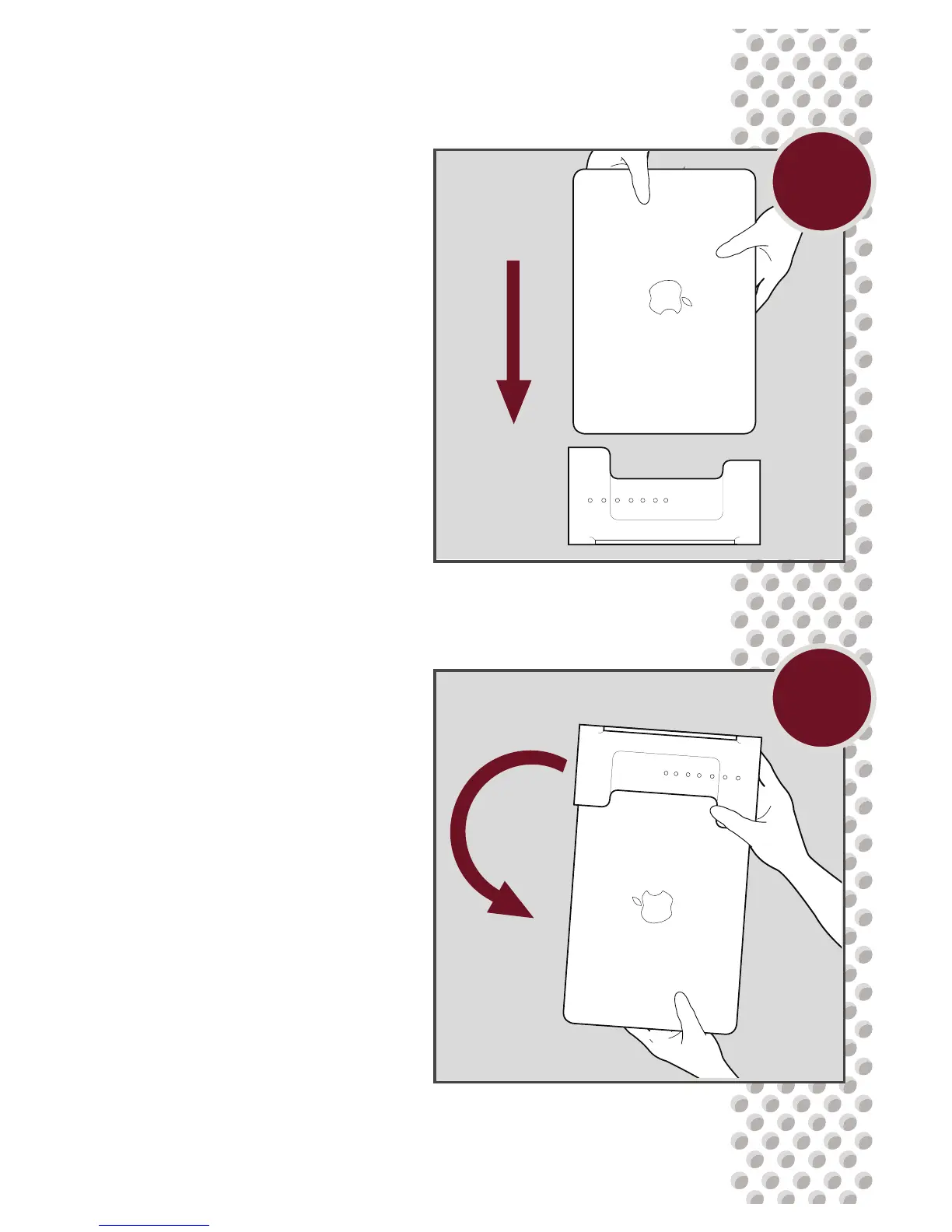
While seated, carefully pick
up the dock and MacBook as
one unit and ip them over
into your lap. The ports on the
computer should be visible
through the bottom of the dock
and lined up with their corre-
sponding voids in the dock.
D
C
Place the MacBook into the
empty dock, port side facing
down.


 To Next Page