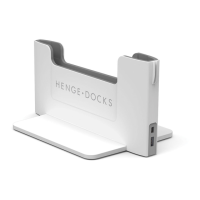
8
cause damage to the MacBook
and/or dock.
• Ensure all surfaces that
contact the Horizontal Dock
(including the bottom and
sides of the MacBook) are free
of stickers, adhesives, cases,
skins or other attachments.
• Always place the MacBook
into the Horizontal Dock in
the correct orientation. Do not
attempt to dock the MacBook
backwards or upside down as
this could cause damage to the
MacBook and/or the Horizontal
Dock.
Environment
Keep the Horizontal Dock away
from liquids, such as drinks, sinks,
bathtubs or showers. Protect the
dock from dampness by ensuring
that it is in a dry location. Do not
expose the dock to wet weather.
The Horizontal Dock
is intended for indoor
use only. Do not use
the Horizontal Dock outdoors.
Do not expose the dock to
extreme heat sources or use in
environments where ambient
Horizonal Dock Detailed User Guide 04.indd 8 3/27/15 1:18 PM


 To Next Page