HEOS Link QUICK START GUIDE
4
English
Français Español
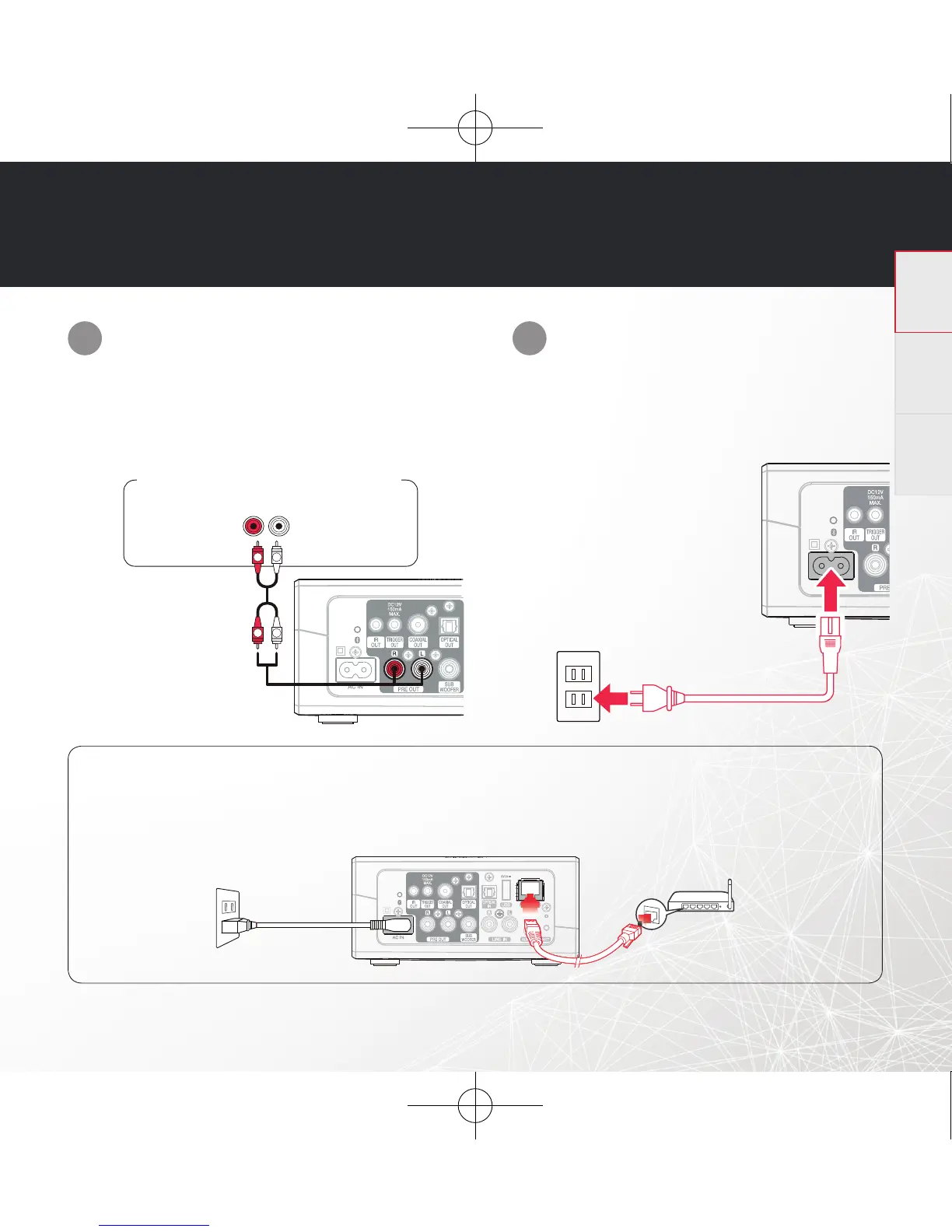
Connect the HEOS Link to an
available input on your amplifi er using
the included analog RCA cables.
Connect the power cord to the
HEOS Link and a wall outlet.
STEP 3: CONNECT
OPTIONAL
If you are connecting the HEOS Link to a wired network, connect the included Ethernet cable between the
HEOS Link and your router. Do not connect the Ethernet cable if you are connecting your HEOS Link to a
wireless network.
1
2
AUDIO IN
R
R
L
R
L
L
Your amplifi er or AV receiver
HEOS Link HS2 E3_QSG_151125.indd 4 2015/12/08 12:01:33


 To Next Page