HEOS Link QUICK START GUIDE
6
English
Français Español
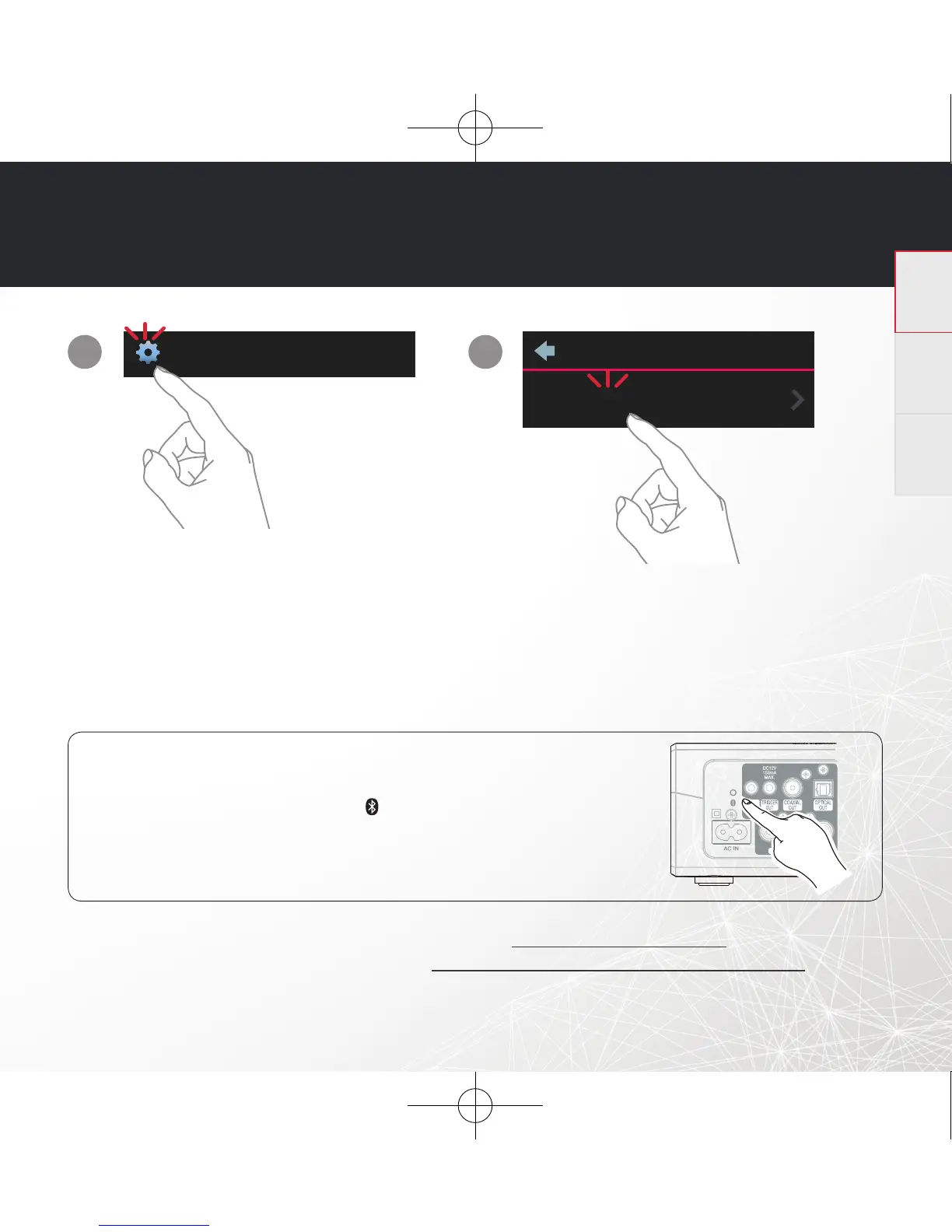
STEP 5: ADD DEVICE
Music
Settings
Add Device
1
2
For further information, please visit www.HEOSbyDenon.com
For the Online Manual, please visit manuals.denon.com/HEOSLINKHS2/ALL/EN
OPTIONAL: Bluetooth
1. Activate the Bluetooth setting on your mobile device.
2. Press and hold the Bluetooth button( ) located on the back of the HEOS
device for 3 seconds and release the button when you see a pattern of two
green fl ashes on the status LED.
3. Select “HEOS Link“ from the list of available Bluetooth devices.
ENJOY!
HEOS Link HS2 E3_QSG_151125.indd 6 2015/12/08 12:01:35


 To Next Page