info@estarpower.com
www.estarpower.com
2.3 Station building and monitoring
If you are a new dealer with ESTAR, please apply for an dealer account from ESTAR in advance.(If you are
a end user, please apply for an user account from your distributor.
APP:
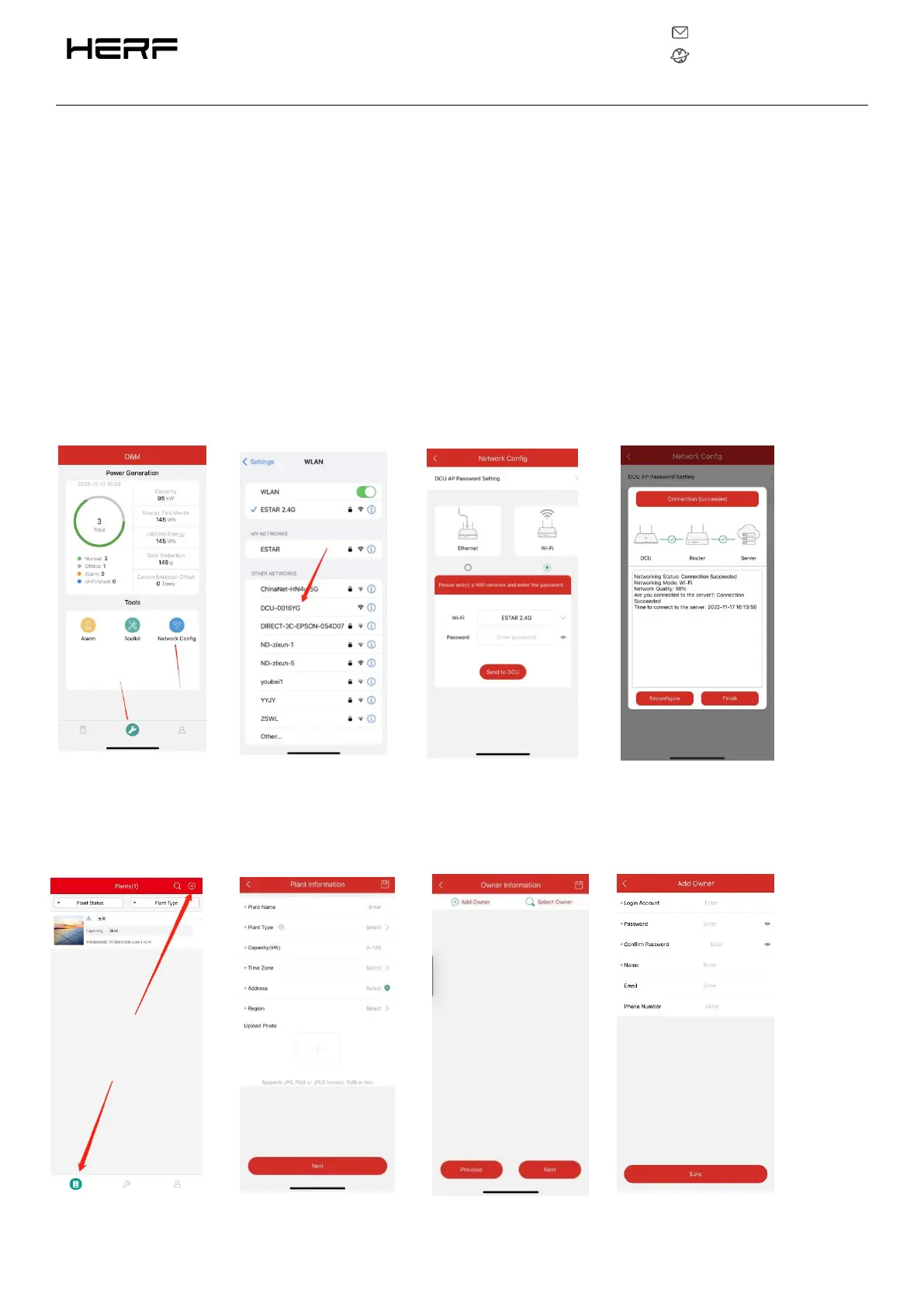
1) Open the HERF PRO App and log in with your dealer account and password.
2) Set up the DCU connection on your mobile phone,Power on is STA, long press 5S to change to AP
mode
3) Select the“Station”tab on the bottom, and then select“⊕” on the right top side of the page to add
station.Complete the information filling and user account creation according to the prompts.



 To Next Page