
 To Next Page
R
Rebecca LopezAug 14, 2025
What to do if there is no compression happening on my Heritage Audio Recording Equipment?
- PPaul BrewerAug 14, 2025
If you notice no compression occurring, ensure that you have engaged the 'DYNAMICS IN' button.

What to do if there is no compression happening on my Heritage Audio Recording Equipment?
If you notice no compression occurring, ensure that you have engaged the 'DYNAMICS IN' button.
How to fix almost no sound from Heritage Audio SUCCESSOR Recording Equipment?
If you're experiencing very little sound, ensure that you've increased the GAIN MAKE-UP sufficiently to compensate for any gain reduction.
What to do if compression is too aggressive on Heritage Audio SUCCESSOR Recording Equipment?
If you find the compression too aggressive, experiment with different ATTACK and RELEASE control settings to soften the effect.
What to do if I'm getting too much compression on Heritage Audio Recording Equipment?
If you're getting excessive compression, try adjusting the THRESHOLD and/or RATIO to modify the amount and intensity of the compression.
What to do if I'm still getting too much compression on Heritage Audio SUCCESSOR Recording Equipment?
If you're still getting too much compression, try adjusting the SC FILTER to reduce the SUCCESSOR's sensitivity to lower frequencies.
Why is there no compression happening on my Heritage Audio SUCCESSOR?
If you observe no compression despite using drastic settings, verify that the BLEND control isn't fully counter-clockwise in the DRY position.
Why doesn't there seem to be any compression occurring on Heritage Audio SUCCESSOR Recording Equipment?
If it seems like no compression is occurring, ensure that you've properly adjusted the THRESHOLD level and selected an appropriate RATIO for the signal.
How to determine the correct release time on Heritage Audio SUCCESSOR?
If you are having difficulty determining the correct RELEASE time, experiment with the automatic release times A1 and/or A2.
How to do frequency dependent compression on Heritage Audio Recording Equipment?
If you need to perform frequency-dependent compression, engage the 'EXT SIDECHAIN' button and connect an external device like a graphic equalizer, adjusting it as needed.
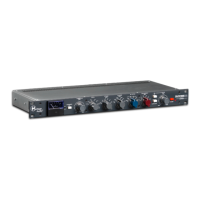
Explains the use of diode-bridge compression technology and Carnhill transformers for warm, colorful sound.
Detailed explanation of the front panel controls, including Gain Reduction Meter, Threshold, Ratio, Attack, Release, Sidechain Filter, and Gain Make-up.
Details on rear panel connections including Power, Line Input/Output, and Send/Return jacks for sidechaining.
Diagram and explanation for connecting the SUCCESSOR for bass recording, including DI and mic preamp integration.
Diagram and explanation for connecting the SUCCESSOR for guitar recording, including FX pedals and amp inputs.
Diagram illustrating how to integrate the SUCCESSOR within a Digital Audio Workstation (DAW) setup.
Diagram showing the SUCCESSOR's placement for mixbus processing, alongside other gear like EQs and compressors.
Detailed diagram and explanation for using external processors with the SUCCESSOR's sidechain input for advanced filtering.
Lists maximum input/output levels, self-noise, frequency response, impedance, dimensions, and weight.
Visual representation of the audio signal path through the compressor, including wet/dry blend and sidechain processing.
Provides common problems encountered with the SUCCESSOR and their corresponding solutions for users.
 General
| Type | Stereo Bus Compressor |
|---|---|
| Analog Inputs | 2 x XLR |
| Analog Outputs | 2 x XLR |
| Channels | Stereo |
| Controls | Threshold, Ratio, Attack, Release |
| Frequency Response | 20 Hz - 20 kHz, ±0.5 dB |
| Circuit Topology | Class A |
| Compression Type | VCA |
| Input Impedance | 10kΩ |
| Power Supply | External power supply |
| Sidechain | Selectable sidechain filter with high pass options |