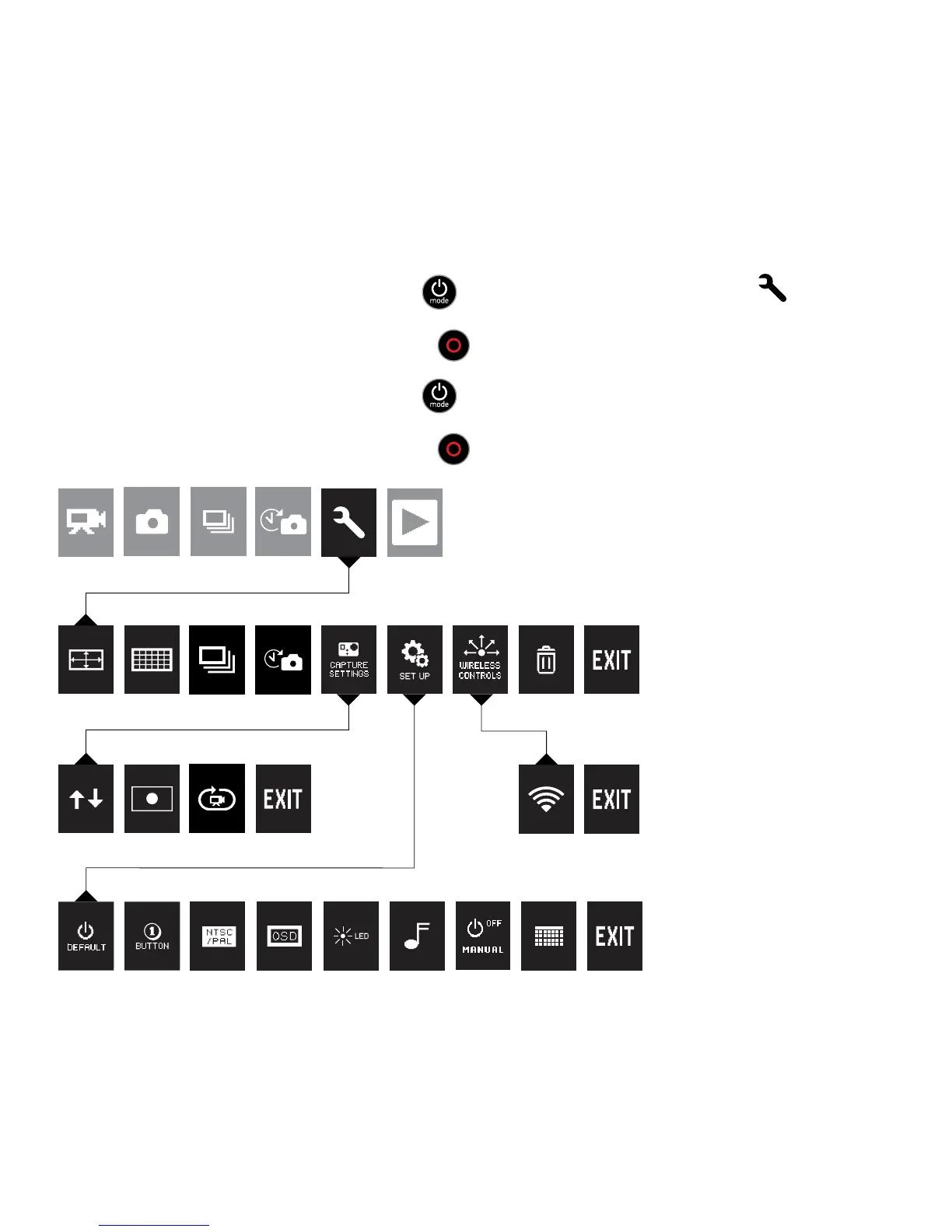
/ Camera Settings
*
TO ADJUST CAMERA SETTINGS:
1. Press the Power/Mode Button [
] to cycle to Settings mode [ ].
2. Press the Shutter/Select Button [
] to enter the Settings menu.
3. Press the Power/Mode Button [
] to cycle through options.
4. Press the Shutter/Select Button [
] to select desired option.
*For a full explanation of camera settings, see the User Manual.
SET UP
CAMERA SETTINGS
CAPTURE SETTINGS WIFI
MAIN CAMERA MODES


 To Next Page