
 Need help?
Do you have a question about the Hewlett Packard Enterprise Aruba 9012 and is the answer not in the manual?
Lists items included in the package and instructions for returning the product.
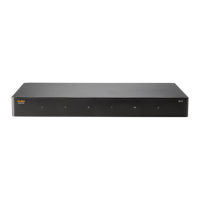
Introduces the different components and their locations on the Aruba 9012 gateway.
Explains the status indicators for the system, WAN, and LAN LEDs on the front panel.
Describes the security slot for physical security and the integrated AC power supply specifications.
Details PoE, Ethernet ports, and their LEDs for connectivity and power management.
Describes Micro-USB and RJ-45 ports for console access and local management.
Details the USB 3.0 ports for storage, configuration uploads, and LTE modem support.
Advises on proper placement and clearance for optimal airflow and operation.
Lists critical safety precautions for installation, including electrical hazards and static discharge.
Details how to mount the gateway in a two-post 19-inch Telco rack.
Explains how to install the gateway on a table or shelf using rubber feet.
Details how to mount the gateway on a wall using mounting brackets.
Lists physical dimensions, weight, electrical ports, and power supply details.
Specifies operating and storage temperature and humidity ranges for the gateway.
Covers FCC, Canada, and EU regulatory conformance statements and requirements.
Lists frequency range and maximum EIRP for wireless channels.
Contains warnings for battery handling, disposal, and general product disposal guidance.
 General
| Category | Gateway |
|---|---|
| Manufacturer | Hewlett Packard Enterprise |
| Memory | 16 GB |
| LAN Ports | 8 |
| SFP/SFP+ Ports | 2 x 10G SFP+ |
| Management Port | 1 (RJ-45) |
| Input Voltage | 100 to 240 VAC |
| Operating Temperature | 0°C to 40°C |
| Form Factor | Rack-mountable |
| Management Interface | Web UI, CLI |
| Security Features | Firewall, VPN |

 To Next Page