Setup 17
3.
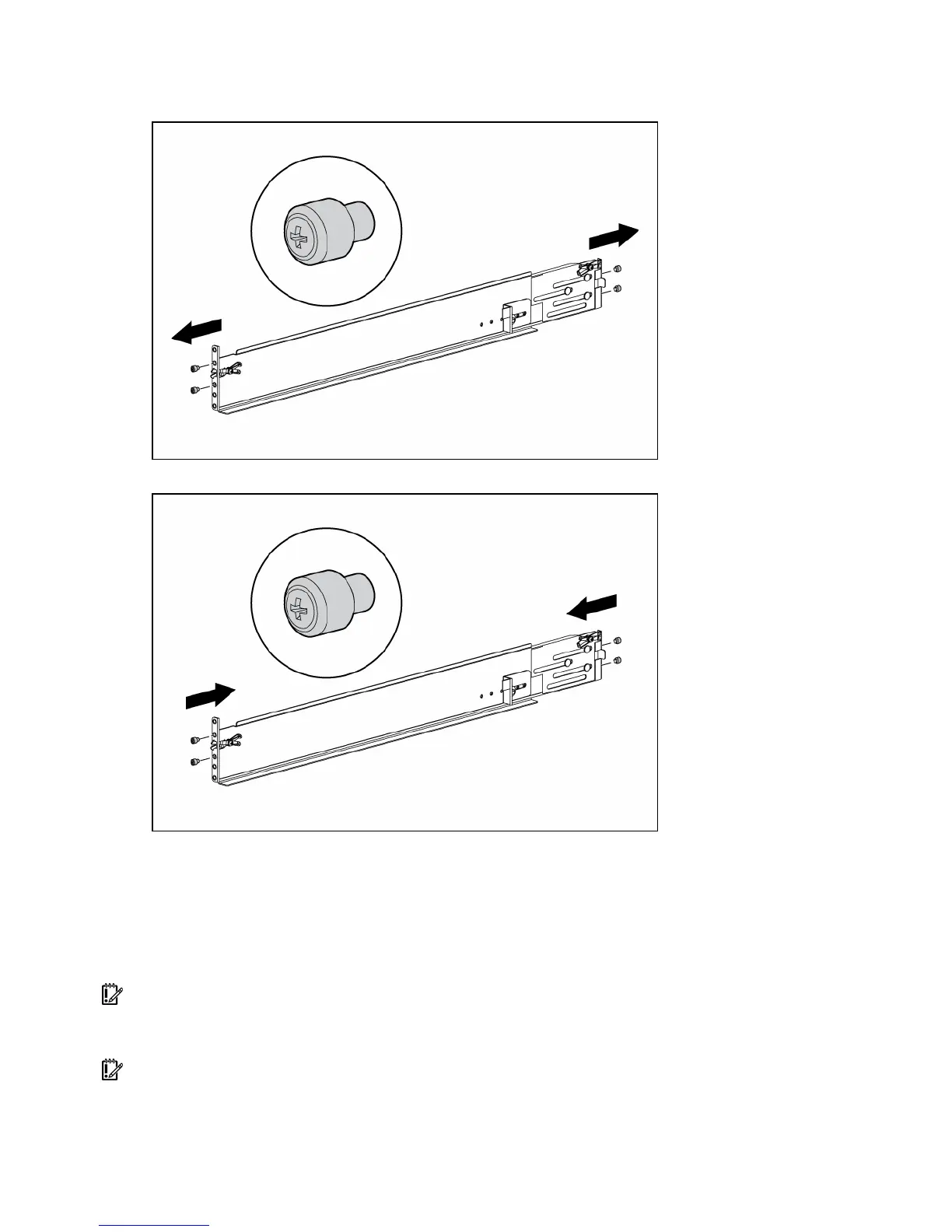
Use a No. 2 Phillips screwdriver to remove the standard pins from the front and back ends of the
rail.
4. Install four round-hole pins into the rail.
5. Repeat steps 3 and 4 for the second rail.
Installing a storage enclosure into the rack
To install the storage enclosure into the rack:
1. Secure the front end of the rails to the rack.
IMPORTANT: Do not remove the pins from the ends of the rack rails unless you are converting the rails for
use in round-hole racks. These load-bearing pins are designed to fit through the holes without being
removed.
IMPORTANT: Be sure that the scissor-type locking latches engage the rack fully when the pins extend
through the holes marked with the template.


 To Next Page
 Loading...