Setup 18
NOTE: Identify the left (L) and right (R) rack rails by markings stamped into the sheet metal.
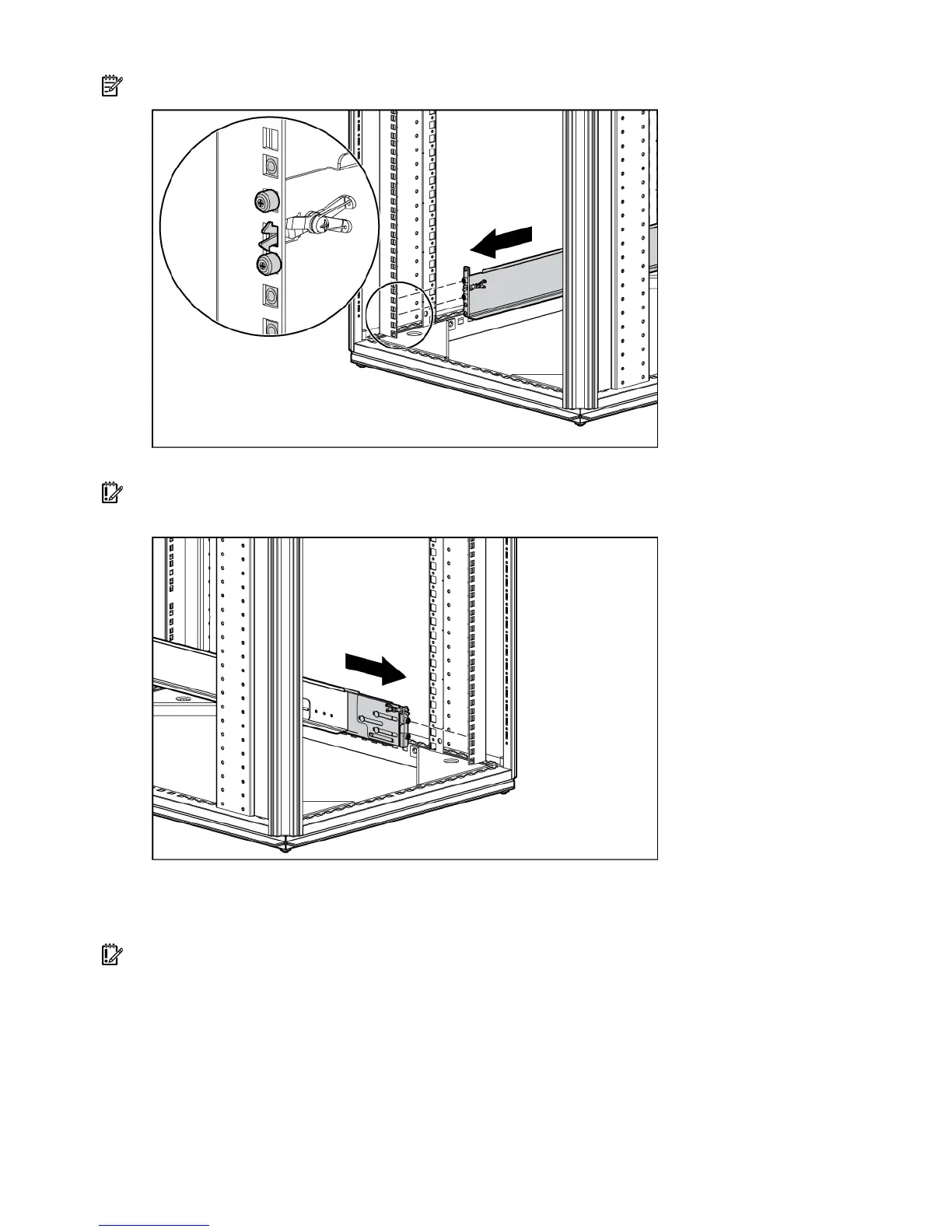
2. Secure the back end of the rails to the rack.
IMPORTANT: Be sure that the scissor-type locking latches engage the rack fully when the pins extend
through the holes marked with the template.
3. Slide the chassis into the rack.
4. Use the thumbscrews on the front of the chassis to secure it to the rack.
5. Use the shipping bracket to secure the storage enclosure for shipping:
IMPORTANT: Use of the shipping bracket is required only when the rack is shipped with the MSA60
installed.
a. Loosen the thumbscrew on the shipping bracket.
b. Slide the shipping bracket forward until it engages the chassis.
c. Tighten the thumbscrew.


 To Next Page
 Loading...