23
DISK
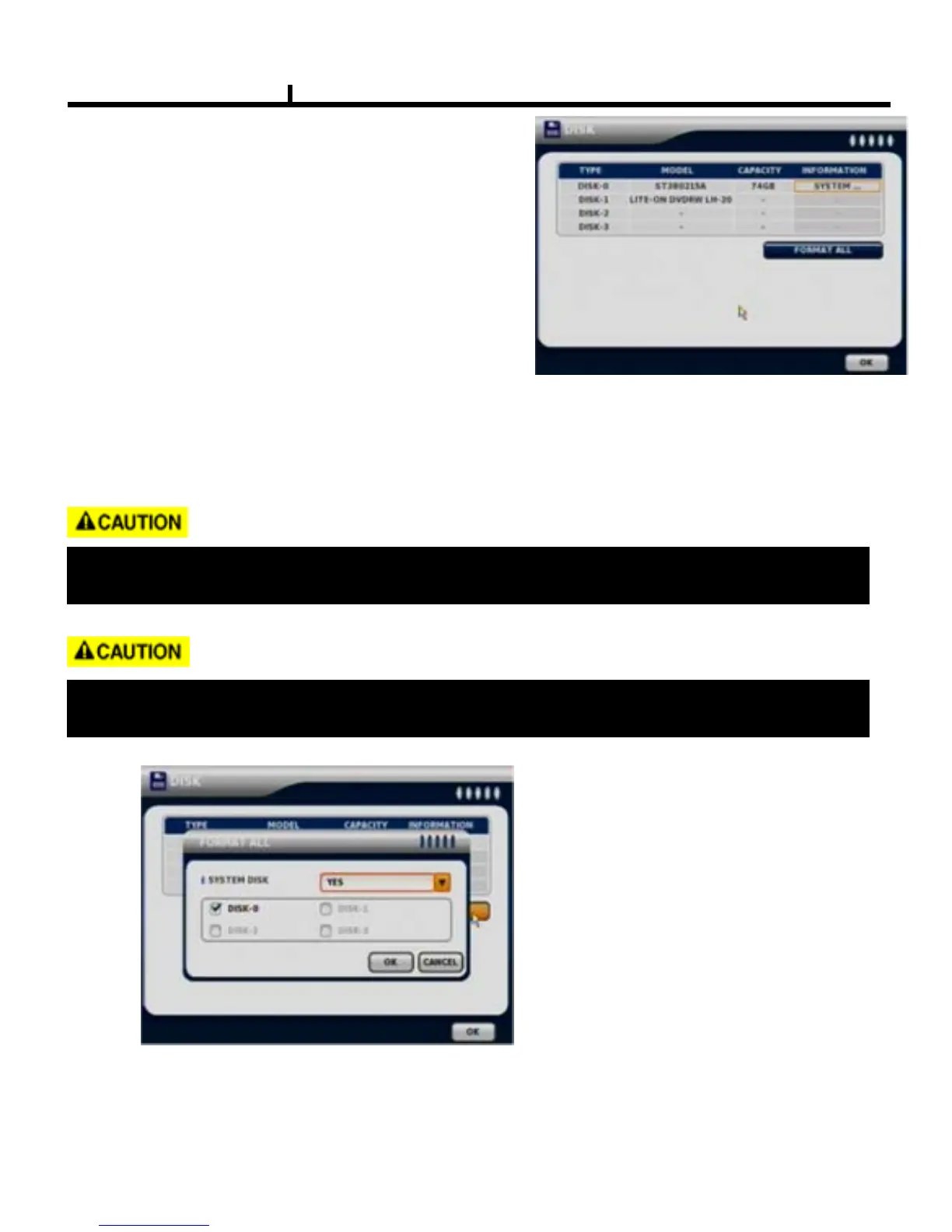
DISK TABLE
Shows current disk information connected to
system.
IMPORTED : DISK installed
RECORD : RECORD possible
SYSTEM : DISK allocated for SYSTEM
FORMAT ALL
Format all connected HDD disks.
(When you select info column of connected DISK separately,
You can format DISK one by one).
It takes more than 200 seconds to format a 750 GB hard disk
One of DISKS should be a system disk for recording system logs & other TEMP file issuing
purposes.
< FORMAT Screen >
Backup devices such as CD-RW/DVD-RW need to be installed as Primary Slave.



 To Next Page