56
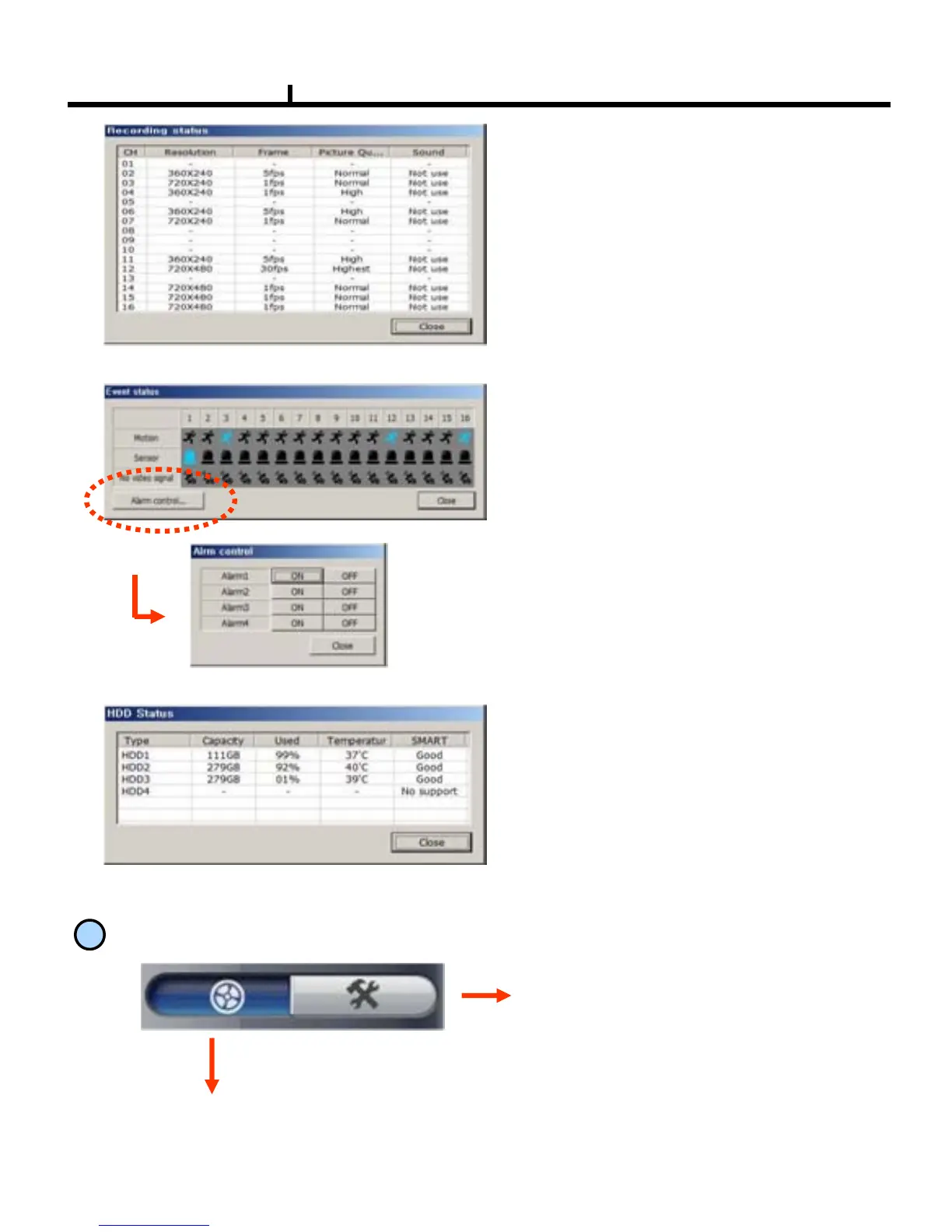
<Event Status>
<HDD Status>
Shows DVR’s event status and you can
check the status of Motion, Sensor,
Video Loss at real time.
<Alarm Control>
You can On/Off the DVR’s alarm if you press
the Alarm control button.
Shows the connected DVR HDD status.
You can check temperature and status
at real time.
<Recording Status>
Shows and check the recording status
4
REMOTE SEARCH Execution and Set Up
REMOTE SEARCH Execution
Set Up Execution
Pressing each button operates
REMOTE SEARCH or Set Up.
REMOTE (LIVE) and REMOTE
SEARCH are made up in separate
program.



 To Next Page