71
Mail : When all installed HDD disks are full, the log is sent to the selected e-mail
Callback : When HDDs are full, the log is sent to the selected IP address.
Log : Selects to save Log writing when installed HDDs are full.
(It is not recorded on the system Log, but used for event search.)
SMART
Enable SMART : Select to use SMART feature.
SMART Function??
It checks the physical errors and observes the HDD disk continuously such as
Temperature, I/O device errors and general conditions of the HDDdisk.
3
4
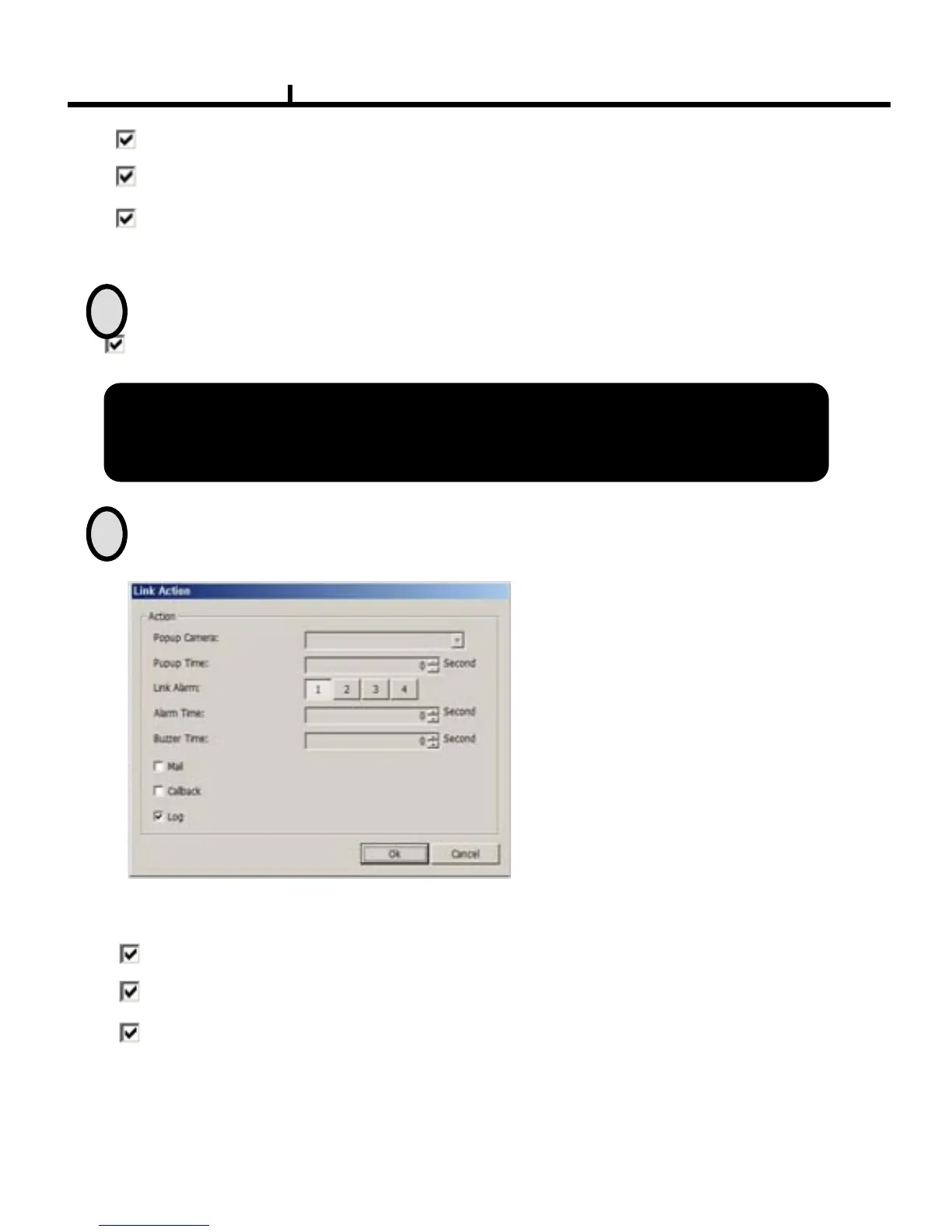
Remote Set Up <SMART (Link Action)>
Popup Camera :
Not available at this moment
Popup Time :
Not available at this moment
Link Alarm :
Selects which alarm to be linked
※ Multiple selection possible
Alarm Time : Sets Alarm output time (Max 30 second)
Buzzer Time : Sets Buzzer output time (Max 30 second)
Mail : When smart related problem occurs, the log is sent to the selected e-mail.
Log : Selects to save Log writing when
smart related problem occurs
(It is not recorded on the system Log but used for event search.)
Callback : When problem occurs, the log is sent to the selected IP address.



 To Next Page