9494
4
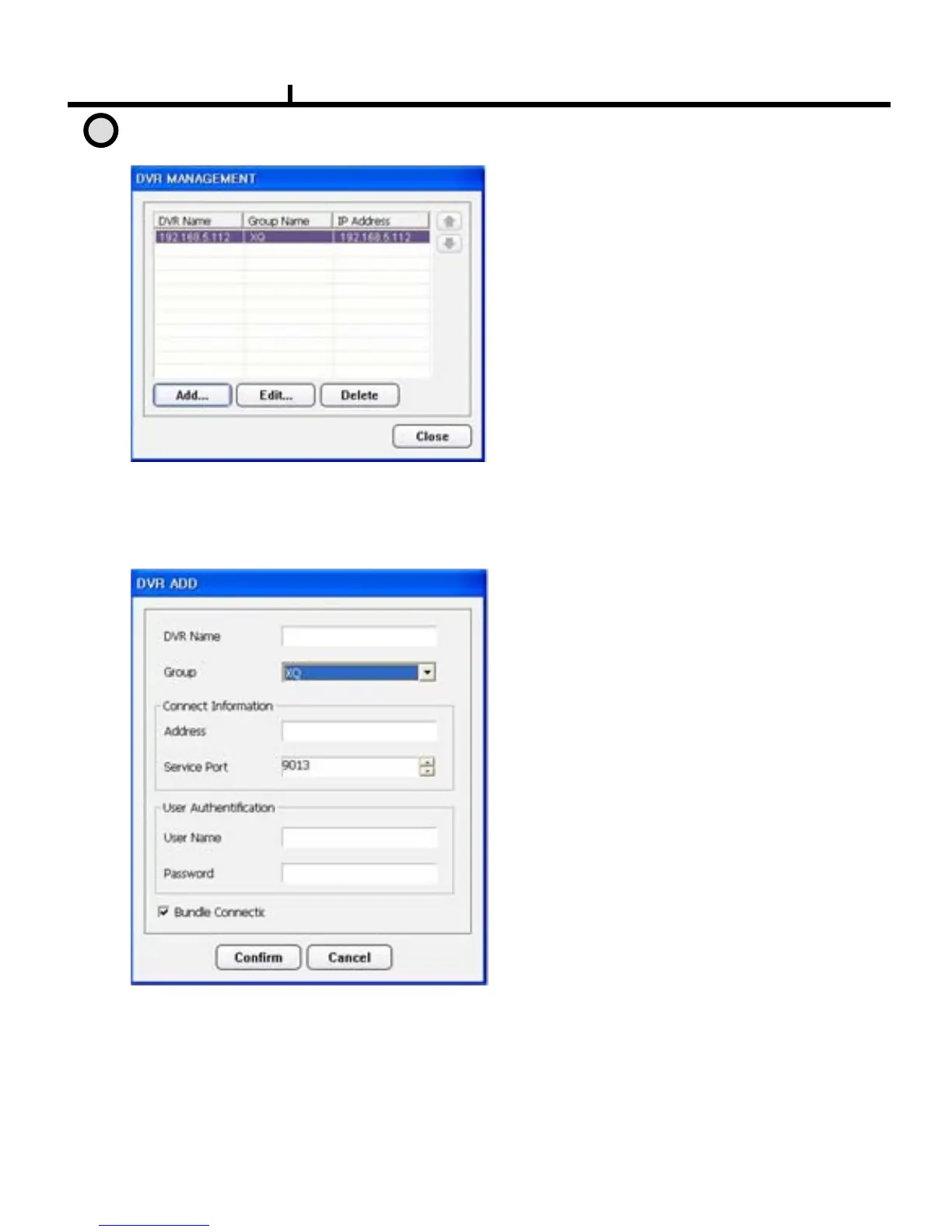
DVR Management
Add /modify/Delete DVR connection in
the CMS
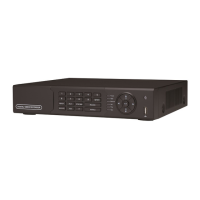
¾DVR name:
Specify a name that you can easily
identify.
¾Group :
Select the DVR group
¾Address :
IP address to connect
(type IP or DDNS Host Name)
¾Service port :
Set service port same to DVR’s one
¾User name:
Type user name of DVR authorized
¾Password : Type password of DVR authorized
¾Connect : connect all when it connects
Add
Edit
Delete
: Enter IP address and user
authentication
to connect DVR
: Modify IP address and user
authentication of the existing list
: Delete existing use.


 To Next Page