Chapter 'V: Clean and maintenance
A.DAILY MAINTENANCE
I. The machine hasto beswitched off and cooled down after each use;
2. Usea clean damp cloth to clean the stainless-steelsurface;
Note: Do not use abrasive sponges and alcohol or solvents.
Do not immerse the machine into water.
3.Clean the outlet and the sealsing under the group head with professional brush;
4.Clean steam outlet, confirm there is no blockage
5. Detachthe metal portafilter through turn it anticlockwise, get rid of coffee residue inside, then you can
c ean it with cleanser,but at lastyou must rinse with clean water.
6.Clean all the attachments in the water and dry tho oughly.
7.Clean drip tray and removable shelf regularly then dry them.
8.Clean water tank regularly.
B.CLEANING MINERAL DEPOSITS
1.The machine builds up lime scaledeposits overtime, and you need descalethe machine 2-3 months;
2. Pourwater and descalein water tank up to MAXcapacity (water and descale ratio is4:1, follow the
instruction of descale.Pleaseuse "household descale", or you can use the citric acid replace descale (water
and citric acid ratio is 100:3);
EN
3.Lockthe filter holder(nocoffeepowder)intothe grouphead.Accordingto part "B" MAKEESPRESSO
COFFEE;
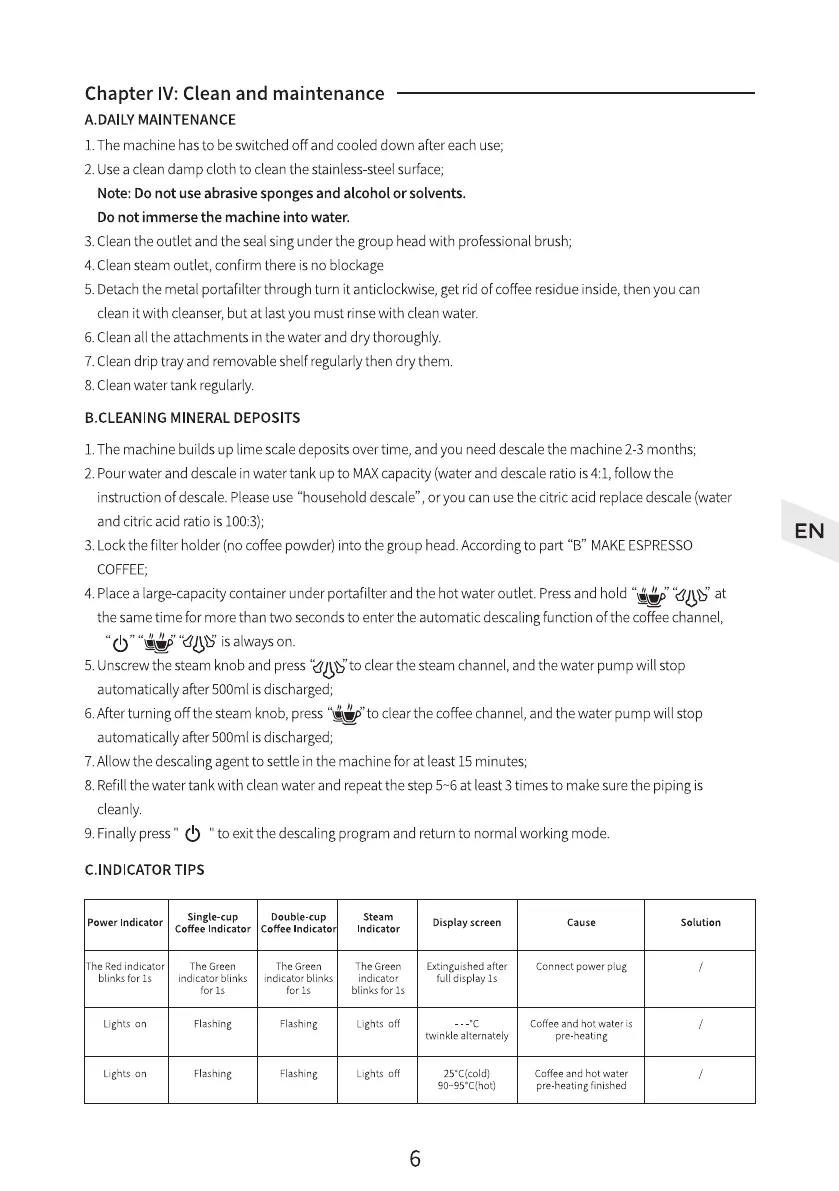
4.Placea largecapacitycontainerunderportafilterand the hot wateroutlet.Pressand hold " " "
AEPCUS'at
thesametime for morethantwo secondsto enterthe automaticdescalingfunction ofthecoffeechannel,
"(b isalwayson.
5.Unscrew thesteamknobandpress"dUS'toclearthesteamchannel,andthewaterpumpwillstop
automaticallyafter500mlisdischarged;
6.Afterturningoffthesteamknob,press"*D'to clearthecoffeechannel,andthewaterpumpwillstop
automaticallyafter500mlisdischarged;
7.Allow the descaling agent to settle in the machine for at least15 minutes;
8. Refillthe water tank with clean water and repeat the step 5-6 at least3 times to make sure the piping is
c eanly.
9. Finallypress" " to exitthe descaling program and return to normal working mode.
C.INDICATOR TIPS
Single-cup
Power Indicator
Coffee Indicator
Double-cup
Coffee Indicato
The Green
indicator blinks
for Is
Flashing
Flashing
Steam
Indicator
he Green
indicator
blinks for Is
Lightsoff
Lightsoff
Display screen
Extinguishedafter
full display Is
nvinkle alternately
90-95'C(hot)
Cause
Connectpowerplug
Coffee and hot water is
pre heating
Coffee and hot water
pre heatingfinished
Solution
The Red indicator
blinks for Is
Lightson
Lightson
The Green
indicator blinks
for Is
Flashing
Flashing
6


 To Next Page
 Loading...


