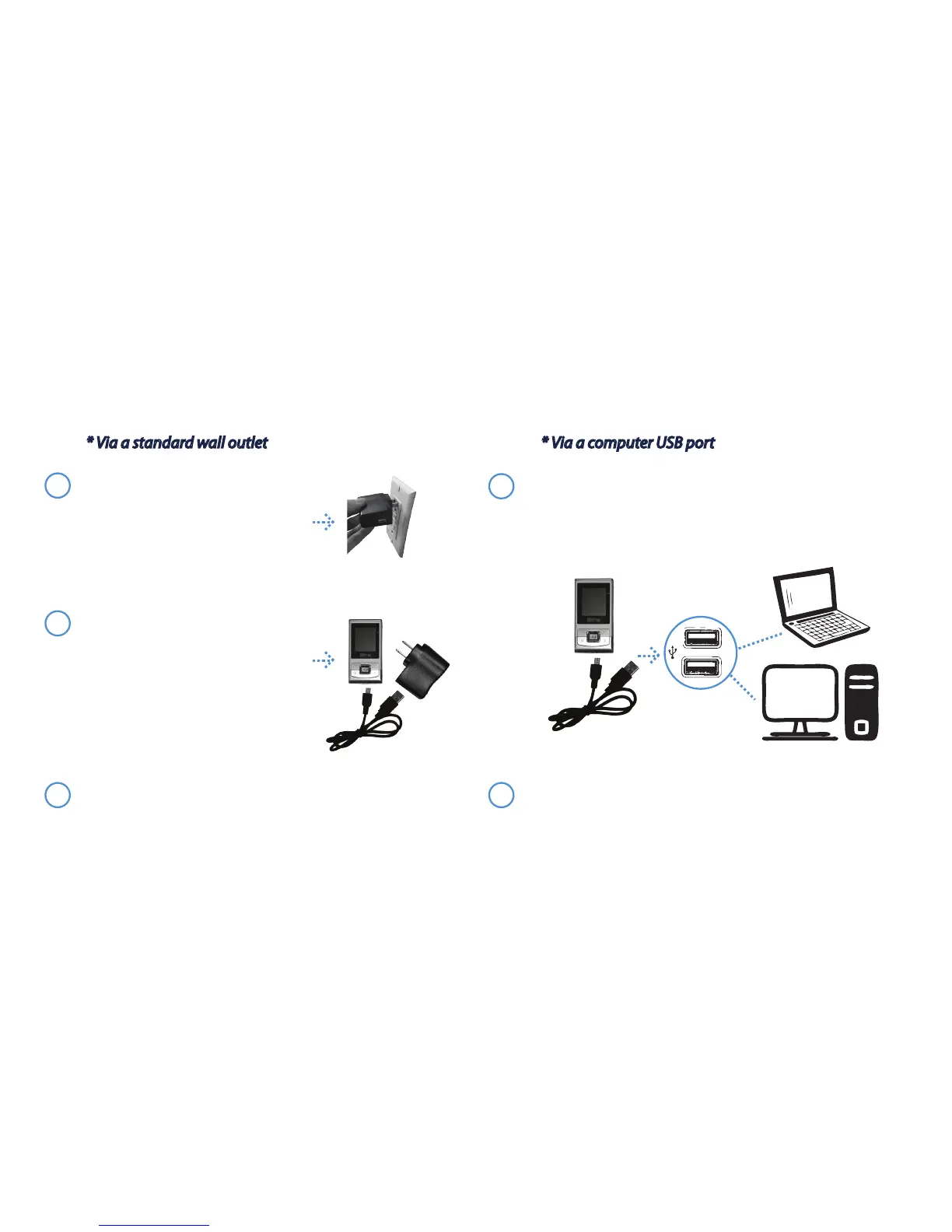
Connect the small end of the USB cable to the unit
and bigger end to the USB port on a computer
(computer must be turned on). A green light will
appear on the unit to indicate the unit is charging.
3
The unit is nished charging when the green indicator
lights are no longer lit.
* Via a standard wall outlet
* Via a computer USB port
1
2
The unit is nished charging when the green indicator
lights are no longer lit.
Charging the AcuXP Micro battery:
1
Connect the AC adapter to any
standard wall outlet.
(A red light will appear to show
that power is owing from the
outlet to the adapter)
2
Connect the small end of the
USB cable to the unit and the
bigger end to the AC adapter.
(A green light will appear on the
unit and the adapter to indicate
the unit is charging)
- 6 -


 To Next Page