Due to the complexity of the electromagnetic environment,
the default LDAC high-resolution Bluetooth connection
format may freeze or disconnect due to insufficient
bandwidth. If this occurs, enter Settings on your device and
manually set the Bluetooth format to AAC or SBC. In this
mode, the problem of lag/disconnection will be improved,
but the sound quality might be less impactful.
5
Mode Switch
Noise Cancellation/HIFI Mode/ Transparency Mode
Only when wearing both earbuds:
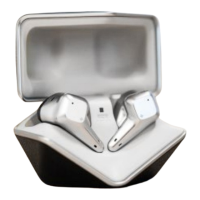
The initial mode is High Fidelity when SVANAR Wireless is
turned on.
Press and hold the left earbud for 3 seconds to switch to Noise
Cancellation mode, which is accompanied by
a voice prompt: "ANC ON."
Press the left earbud for 3 seconds to switch to the
Transparency mode, which is accompanied by a voice
prompt: "Transparency."
Press the left earbud for 3 seconds to switch to High Fidelity
mode, accompanied by a voice prompt: "High Fidelity."
Note: When using a single earbud, the current mode remains
unchanged, and does not support mode switching between
Noise Cancellation /High Fidelity /Transparency. When in Noise
Cancellation mode, the microphone is no longer picking up for
noise cancellation effect. When both earbuds are worn, SVANAR
Wireless will automatically restore the connection and
mode-switching function.


 To Next Page