EasyManua.ls Logo

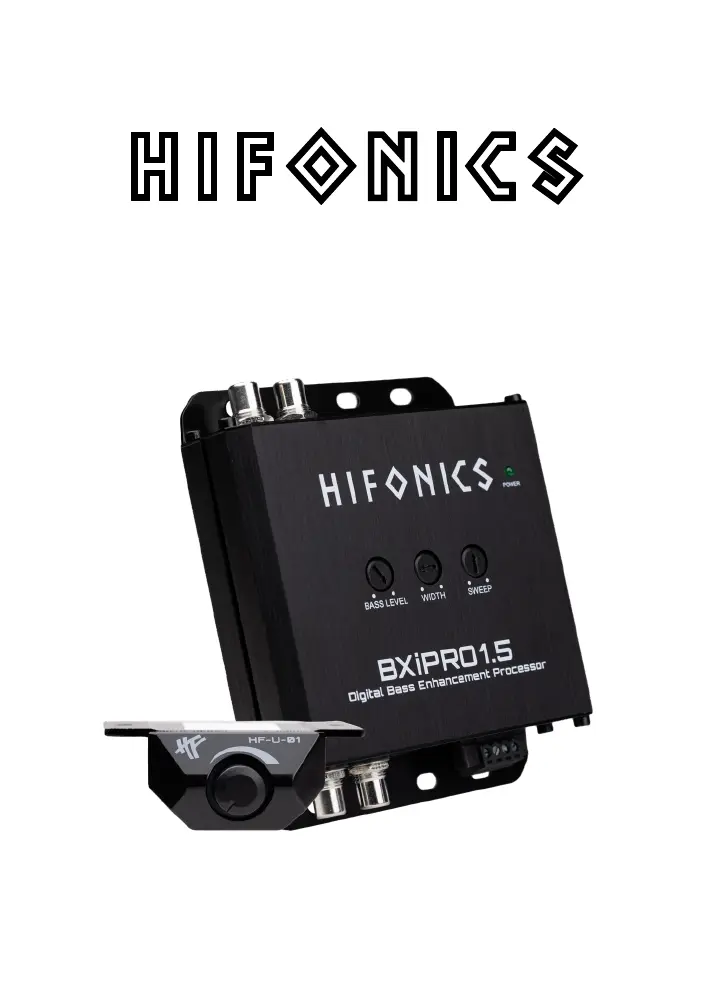
Hifonics BXiPRO1.5 - User Manual

Hifonics BXiPRO1.5
10 pages
Print Icon
To Next Page IconTo Next Page
Loading...
Operator’s Guide
BXiPRO1.5
Digital Bass Enhancement Processor

Questions and Answers

  • L
    Laura ParrishJul 30, 2025
    Why does my Hifonics BXiPRO1.5 Automobile Accessories have low output power?
    • S
      Sarah MaxwellJul 30, 2025
      Several factors can cause low output power. First, verify that the level controls are properly set. Next, ensure the battery voltage at the amplifier and crossover terminals is at least 11 volts. Finally, inspect all +12 volt and ground connections to make sure that they are well connected.
  • R
    robert56Aug 5, 2025
    What to do if my Hifonics BXiPRO1.5 Automobile Accessories has constant whine?
    • J
      Julie BallAug 6, 2025
      A constant whine usually stems from instability causing oscillations. Begin by inspecting all connections, paying special attention to ensure good grounds. Also, check that no speaker leads are shorting against exposed metal on the vehicle chassis.
  • D
    David MillerAug 13, 2025
    How to stop Hifonics BXiPRO1.5 Automobile Accessories ticking or whine that changes with engine RPM?
    • M
      Mikayla GibsonAug 13, 2025
      Ticking or whine that changes with engine RPM can happen when RCA cables pick up radiation near the fuel pump or distributor. Ensure the head unit ground connects directly to the vehicle chassis, avoiding factory wiring. If that doesn't help, try supplying the head unit with a clean +12 volt supply directly from the battery +, instead of using the in-dash wiring/fusebox.
  • M
    Michael MyersAug 22, 2025
    Why does my Hifonics Automobile Accessories have hiss or white noise?
    • W
      Wendy BeckerAug 22, 2025
      High levels of white noise often occur when level controls are set too high. Try reducing the levels until the noise disappears. If the issue persists, unplug the crossover input RCAs; if the hiss diminishes, the source unit is likely the cause.

Summary

CAUTION

Mounting and Hardware

MOUNTING

Steps for selecting a location and physically mounting the processor.

WIRING

Instructions for connecting power, ground, and remote wires.

Functions & Operations

Frequency Response

Width Control

Details on controlling the frequency range width for bass enhancement.

Sweep Control

Information on selecting the center frequency for bass output.

Unit Setup with Aftermarket Source Unit

Diagnostics & Trouble Shooting

Low Output Power

Troubleshooting steps for insufficient audio output or no sound.

Hiss, or White Noise

Diagnosing and eliminating unwanted hiss or white noise.

Electrical Interference

Addressing noise caused by electrical interference in the vehicle.

Ticking or Whine that changes with engine RPM

Resolving noises that fluctuate with engine RPM.

Constant Whine

Identifying and fixing persistent whining sounds in the system.

Specifications

Hifonics BXiPRO1.5 Specifications

General IconGeneral
BrandHifonics
ModelBXiPRO1.5
CategoryAutomobile Accessories
LanguageEnglish

Related product manuals