Need help?
Do you have a question about the HiFuture Flybuds Pro and is the answer not in the manual?
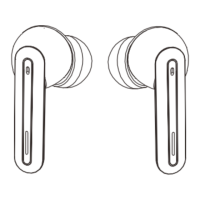
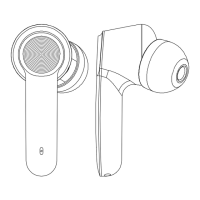
Details the function and status indication of the earbud's LED light.
Describes the touch-sensitive area on the earbud for controls.
Identifies the microphone used for Environmental Noise Cancellation.
Identifies the microphone dedicated to voice calls.
Locates the connection point for charging the earbuds.
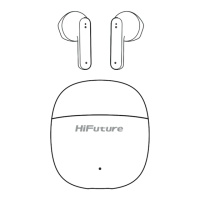
Explains the LED indicator on the charging case.
Remove stickers from earbuds and ensure they are in the charging case for pairing.
Select 'HiFuture FlyBuds Pro' from the smartphone's Bluetooth menu to connect.
 General
| Type | In-ear |
|---|---|
| Driver Size | 10 mm |
| Charging Case | Yes |
| Water Resistance | IPX5 |
| Bluetooth Version | 5.0 |
| Connectivity | Bluetooth |
| Frequency Response | 20 Hz - 20 kHz |
| Microphone | Yes |
| Touch Controls | Yes |
| Charging Time | 1.5 hours (earbuds), 2 hours (charging case) |
| Weight | 4.5g per earbud |

 To Next Page