Połączenia telefoniczne
1. Upewnij się, że FutureGo Pro łączy się z telefonem i
znajduje się w jego pobliżu w promieniu 10 metrów.
2. włącz funkcje połączeń.
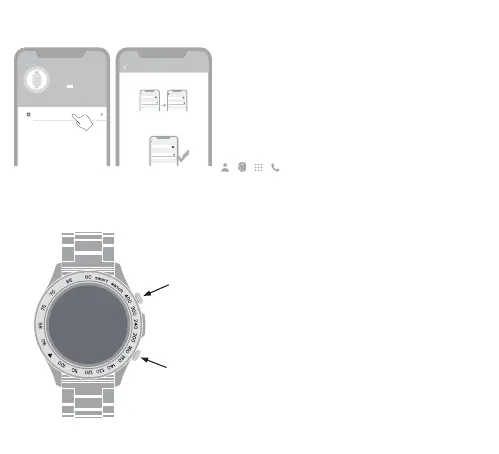
3. Przejdź do ustawień połączeń w aplikacji HiFutureFit.
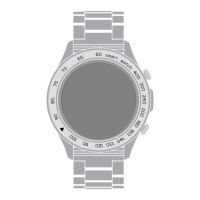
Naciśnij raz, aby zablokować, naciśnij ponownie, aby odblokować
ekran.
Gdy ekran jest odblokowany, naciśnij raz, aby wejść do menu
głównego, naciśnij dwukrotnie, aby przełączać style menu.
Przycisk wielofunkcyjny
Przycisk blokowania/odblokowywania ekranu
Enable Bluetooth Call
Step 1
Step 2
Step 3
FutureGo Pro-xxx
Turn on the Bluetooth call switch on the watch interface
Please enable it in the Bluetooth system settings:
Settings -> Bluetooth -> Other Devices, select
Bluetooth
Bluetooth
Device
FutureGo Pro-xxx
Connected
FutureGo Pro-xxx
Other Device
Bluetooth
Bluetooth
Settings
Device
FutureGo Pro-xxx
Connected
FutureGo Pro-xxx
Connected
Other Device
Bluetooth
Bluetooth
Device
FutureGo Pro-xxx
Connected
FutureGo Pro-xxx
Connected
Other Device
FutureGo Pro-XXX
MAC: f8:02:b7:f1:c9:f9
Battery:
Bluetooth Call
54


 To Next Page