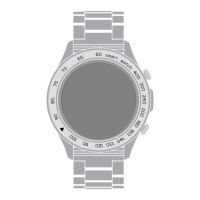
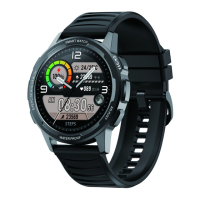
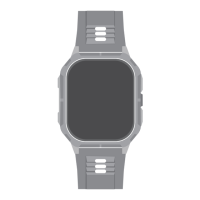
The HiFuture APEX is a smartwatch designed for daily use, offering a range of health, communication, and convenience features. It boasts a 2.04" AMOLED touchscreen display, providing a vibrant and interactive interface for navigation and information display. The watch is built with an IP68 water resistance rating, making it suitable for various environments and activities, though specific precautions regarding sea water, deep water, and high-pressure water flow are advised.
Function Description:
The APEX smartwatch serves as a comprehensive personal assistant on your wrist. Its core functions revolve around health monitoring, communication, and smart notifications.
For health monitoring, the APEX includes:
- Heart Rate Monitor: Provides 24/7 heart rate tracking. Users can tap on "Heart rate" to initiate a measurement, ensuring the watch's back panel is in full contact with the wrist for accuracy.
- Blood Oxygen Monitoring: Allows users to view the highest and lowest blood oxygen levels throughout the day. Similar to heart rate, proper wrist contact is crucial for accurate readings.
- Stress Tracking: Enables measurement of stress levels. Users can select "Stress" to start a measurement, ensuring the watch is still and in contact with the wrist.
- Activity Tracking: Offers a detailed daily activity report, including calories burned, steps taken, and distance covered. Daily activity goals can be set and edited via the HiFuture Fit app.
- Sleep Monitoring: Records previous sleep patterns and assesses sleep quality across various sleep stages.
- Breathing Exercises: Features a "Breathe" function to help users adjust their breathing rhythm, with customizable duration.
For communication, the APEX supports:
- Bluetooth Calling: Allows users to make and receive calls directly from the watch using the built-in dialer, access stored contacts, and view call logs.
- Messages: Displays received messages on the watch, keeping users informed without needing to check their phone.
- Notifications Sync: Syncs notifications from the paired smartphone, ensuring important alerts are not missed.
For convenience and smart features, the APEX includes:
- Music Control: Enables control of songs and podcasts playing on the paired phone, directly from the wrist.
- Weather Display: Shows the current weather conditions for the user's location via the Weather app.
- Alarm Clock: Allows users to set and customize alarms, including repeat days, and delete them when no longer needed.
- Stopwatch: A standard stopwatch function, activated and ended by pressing the rotating crown.
- Timer: A countdown timer with pre-set durations or custom settings, providing vibration alerts when time is up.
- Calculator: A basic calculator for quick computations.
- Voice Assistant: Activates voice assistance to receive commands and perform tasks.
- Remote Camera: Enables users to take pictures remotely from their phone by tapping on the watch's remote camera feature.
Important Technical Specifications:
- Display: 2.04" AMOLED touchscreen.
- Water Resistance: IP68 rated.
- Battery Life: Up to 7 days on a full charge (actual battery life may vary based on usage).
- Connectivity: Bluetooth.
- App Compatibility: Requires the HiFuture Fit app, compatible with Android 9.0+ and iOS 11.0+.
- Data Storage: Stores activity data for up to 7 days on the watch before syncing with the app.
Usage Features:
The APEX smartwatch is designed for intuitive interaction through its touchscreen and rotating crown.
Power Management:
- Power On: Press and hold the rotating crown for a few seconds.
- Power Off: Long press the rotating crown, then select "√" to confirm.
- Waking Up the Watch: Press the rotating crown once to wake the screen when it's off to conserve battery.
Navigation:
- Touchscreen Navigation: Tap, swipe side-to-side, swipe up, and swipe down to navigate through menus and features.
- Rotating Crown Navigation: Press once to wake the watch.
- Home Screen Navigation:
- Swipe left: Access steps taken.
- Swipe right: Access the main menu.
- Swipe up: Check messages.
- Swipe down: Access quick settings.
- Press and hold screen center, then swipe left or right: Choose watch faces.
App Setup and Pairing:
- Download App: Install the HiFuture Fit app from Google Play Store or Apple App Store.
- Bluetooth & GPS: Ensure Bluetooth and GPS are enabled on the smartphone.
- Account Setup: Create a new account or log in to an existing one in the HiFuture Fit app.
- Pairing: In the HiFuture Fit app, go to "Device," tap "Add Device," then "Search," and select "APEX" to link the watch.
Settings and Quick Settings:
- Watch Face & Theme: Customize the watch face directly on the watch or through the HiFuture Fit app.
- Brightness: Adjust screen brightness.
- Sound & Vibration: Choose vibration levels or turn off vibration.
- Password: Set or change a password for the watch.
- Raise to Light Up: Enable this feature to automatically light up the screen when lifting the wrist.
- Do Not Disturb: Mutes notifications when enabled.
- Download App: Access a QR code to download the HiFuture Fit app.
- System: Options to reboot, power off, or reset the device.
- Info: View device information.
Quick Settings (accessed by swiping down from the home screen):
- Phone call, Do not disturb, Mute, Raise wrist setting, Brightness, Sub menu style, Torch, Search, Battery, Settings, Date.
Maintenance Features:
- Charging: Use the provided magnetic charging cable. Plug the USB cable into a power adapter (not included) and connect the magnetic charger to the watch's charging points. Remove the charger once fully charged.
- Cleaning: Do not use household cleaners. Use soap-free cleaners instead. Wipe the device clean with a soft and clean cloth if exposed to water.
- Water Exposure: Avoid exposure to sea water, deep waters, or high-pressure water flow. Do not wash with hot water. Allow the device to dry naturally if it gets wet. If the device malfunctions after water exposure despite following these steps, contact an authorized service center.
- Firmware Updates: The APEX can be updated via the HiFuture Fit App. Users can check for version updates in the "Profile" > "Settings" section of the app. The current firmware version can also be found on the watch under "Device" > "Firmware update."
- Battery Care: The device contains an in-built rechargeable battery. Do not attempt to change the battery yourself. Avoid tampering with battery terminals, piercing or disassembling the device, or exposing it to excessive heat or fire, as these can lead to safety hazards like leakage, overheating, explosion, or fire.
- Charger & Cables: Only use HiFuture approved chargers and cables specifically designed for the device to prevent damage and safety hazards.
- Troubleshooting: If the equipment emits a foul or burning odor, discontinue use immediately and contact the after-sales service center. For general problems, restarting the watch may resolve issues.
- Disposal & Recycling: Electrical and electronic devices, including the APEX and its accessories, should not be disposed of with domestic waste. Consumers are obliged to return them to public collecting points or points of sale for proper recycling, contributing to environmental protection. HiFuture supports e-waste collection centers for end-of-life devices.
Safety and Handling Instructions:
- Temperature Range: Use the device within ambient temperature ranges of -20°C to 55°C. Using it outside this range can damage the device. Do not use in a sauna or steam room.
- Medical Device Interference: The device contains components that may interfere with medical devices like pacemakers. Consult a physician before use if you have a medical device, and ensure sufficient separation if allowed to wear it.
- Medical Use Advisory: The APEX is not intended as a medical device for diagnosis, treatment, cure, or prevention of any disease/health condition. While it tracks health information, its accuracy is not equivalent to medical or scientific measuring equipment. Abnormal physical data should be verified by a hospital.
- Choking Hazard: The device is not a toy and contains small components. It is not intended for use by or left unattended around small children or pets.
- Skin Irritation: Prolonged use or exposure may cause skin irritation or allergies in some users. Keep the device clean and dry. Discontinue use immediately if soreness, tingling, numbness, burning, or stiffness occurs on the skin while or after using the watch.

 Need help?

 To Next Page
 General