Phone Calls
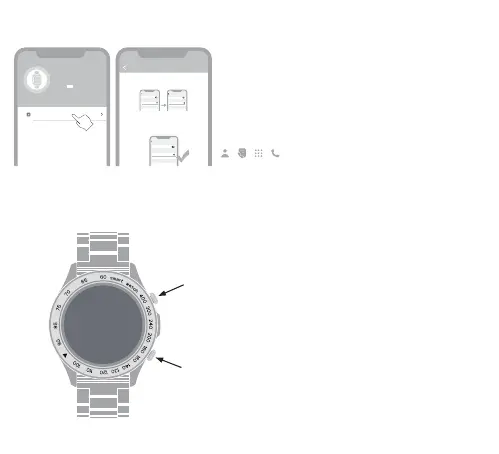
1.Ensure the FutureGo Pro is connecting with & nearby
your phone within 10 meters .
2.ENABLE the Call functions.
3.Go call settings in the HiFuture Fit APP.
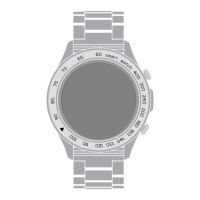
Press once to Lock, press again to unlock screen
With screen unlocked,press once to enter main
menu, double press to switch menu styles.
Multi-function button
Lock /Unlock Screen Button
Enable Bluetooth Call
Step 1
Step 2
Step 3
FutureGo Pro-xxx
Turn on the Bluetooth call switch on the watch interface
Please enable it in the Bluetooth system settings:
Settings -> Bluetooth -> Other Devices, select
Bluetooth
Bluetooth
Device
FutureGo Pro-xxx
Connected
FutureGo Pro-xxx
Other Device
Bluetooth
Bluetooth
Settings
Device
FutureGo Pro-xxx
Connected
FutureGo Pro-xxx
Connected
Other Device
Bluetooth
Bluetooth
Device
FutureGo Pro-xxx
Connected
FutureGo Pro-xxx
Connected
Other Device
FutureGo Pro-XXX
MAC: f8:02:b7:f1:c9:f9
Battery:
Bluetooth Call
04


 To Next Page