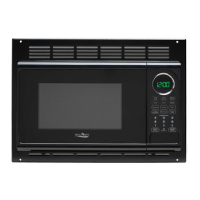
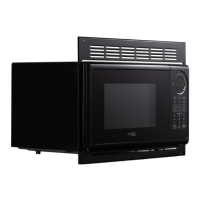
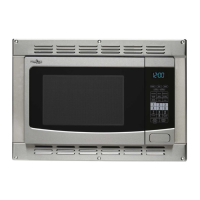
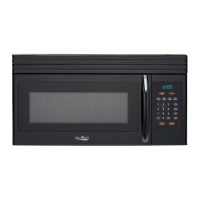
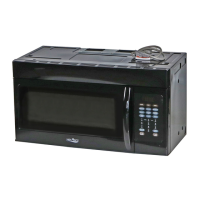
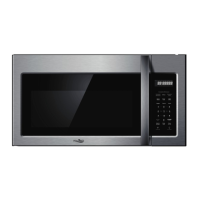
This document is an instruction manual for a microwave oven, specifically models GMR1000RW, GMR1000RB, and GMR1000RS. It provides essential information for safe and effective operation, covering everything from basic safety precautions to cooking functions and troubleshooting.
The primary function of this device is to heat, cook, or dry food using microwave energy. It is designed for household use and is not intended for industrial or laboratory applications. The manual emphasizes the importance of reading and following all instructions carefully to ensure many years of good service and to avoid potential hazards.
Usage Features
The microwave oven offers a variety of cooking and convenience features, accessible through its control panel.
Basic Microwave Cooking:
Users can set a specific cooking time and power level for their food. The maximum cooking time allowed is 99 minutes and 99 seconds. The oven provides ten power levels, ranging from 10% (PL1) to 100% (PL10), offering flexibility for different types of food and desired cooking results. If 100% power is desired, steps for selecting a power level can be skipped. During cooking, an "Add 30 Sec." button allows for quick additions of 30 seconds to the cooking time, up to the maximum limit.
Multi-Stage Cooking:
For more complex recipes, the microwave supports up to two cooking stages. This feature allows users to program different power levels and durations sequentially. For example, food can be cooked at 100% microwave power for 10 minutes, followed by 80% microwave power for 15 minutes. It's important to note that defrost programs and auto menus cannot be combined with multi-stage cooking. A single beep indicates the end of the first stage and the beginning of the second.
Defrost Cooking:
The oven includes two defrost functions:
- Defrost By Weight: Users can input the weight of the food in pounds (up to 6.0 lbs), and the oven will automatically calculate the appropriate defrost time. The display will show "0.0" and "lb" flashing, and the "lb" indicator will turn off once defrosting begins.
- Defrost By Time: Alternatively, users can manually set a defrost time, up to 99 minutes and 99 seconds. During time-based defrosting, the oven will beep twice at the halfway point to remind the user to turn the food over for even defrosting.
Pre-set Menus:
For common items, the microwave offers convenient pre-set menus:
- Popcorn: This menu allows users to select from three approximate popcorn sizes: 1.75 ounces, 3.0 ounces, or 3.5 ounces.
- Beverage: Three approximate beverage sizes are available: 8.8 ounces, 17.6 ounces, or 26.4 ounces.
- Baked Potato: Users can select for approximately 7.1 ounces, 14.2 ounces, or 21.3 ounces.
- Reheat: This function allows users to reheat food based on approximate weight, with options for 8.0 ounces, 16.0 ounces, or 24.0 ounces.
Speedy Cooking:
For quick heating, the oven provides several speedy cooking options:
- Pressing number keys 1 through 6 directly initiates cooking at full microwave power for 1 to 6 minutes, respectively.
- In the waiting state, pressing "Add 30 Sec." starts cooking at 100% microwave power for 30 seconds.
- During cooking, the "Add 30 Sec." button can be pressed repeatedly to add 30-second increments to the cooking time, up to the maximum.
Timer Function:
Beyond cooking, the microwave includes a standalone timer function. Users can set a countdown time up to 99 minutes and 99 seconds. The timer indicator will light up, and a buzzer will sound when the time is over. During timer operation, the hood fan and oven lamp can still be activated.
Clock Setting:
The oven features a 12-hour clock (1:00 to 12:59). Users can set the current time, and the AM/PM indicator will automatically adjust.
Hood Function:
The microwave oven is equipped with an exhaust fan, offering high, low, and off settings. Users can cycle through these speeds using the "VENT FAN/HI/LOW/OFF" button.
Oven Lamp:
An internal oven lamp can be turned on or off using the "SURFACE LIGHT ON/OFF" button, providing visibility inside the cavity.
Inquiring Function:
During microwave cooking, users can press "POWER" to check the current power level. The "CLOCK" button can be pressed during any cooking state to check the current time.
Lock Function for Children:
To prevent unintended operation, the microwave includes a child lock feature. In the waiting state, pressing "STOP/CLEAR" for 3 seconds activates the lock, indicated by two beeps. To deactivate, press "STOP/CLEAR" again for 3 seconds, also confirmed by two beeps.
Maintenance Features
The manual provides guidance on maintaining the microwave oven and troubleshooting common issues.
Cleaning:
For cleaning the surfaces of the door and oven cavity that come into contact when the door is closed, users should use only mild, nonabrasive soaps or detergents applied with a sponge or soft cloth. This helps prevent the accumulation of soil or cleaner residue on sealing surfaces, which could affect the oven's performance and safety.
Troubleshooting:
A dedicated troubleshooting section helps users diagnose and resolve minor problems.
- Oven will not start: Possible causes include the electrical cord not being plugged in, the door being open, or incorrect operation settings. Remedies involve plugging in the cord, closing the door, and checking instructions.
- Arcing or sparking: This can occur if materials to be avoided in a microwave oven are used, if the oven is operated empty, or if spilled food remains in the cavity. Solutions include using microwave-safe cookware, avoiding empty operation, and cleaning the cavity with a wet towel.
- Unevenly cooked foods: This issue might arise from using non-microwave-safe materials, incomplete defrosting, unsuitable cooking time or power level, or not turning/stirring the food. Remedies include using appropriate cookware, ensuring food is fully defrosted, adjusting cooking settings, and turning/stirring food.
- Overcooked foods: This is typically due to unsuitable cooking time or power level. The remedy is to use the correct settings.
- Undercooked foods: Similar to uneven cooking, this can be caused by non-microwave-safe materials, incomplete defrosting, restricted oven ventilation ports, or unsuitable cooking time/power level. Solutions include using correct cookware, ensuring full defrosting, checking ventilation, and adjusting cooking settings.
- Improper defrosting: This can be due to using non-microwave-safe materials, unsuitable cooking time/power level, or not turning/stirring the food. Remedies involve using correct cookware, adjusting settings, and turning/stirring food.
General Safety and Care:
The manual emphasizes several safety precautions that contribute to the longevity and proper functioning of the appliance:
- Never attempt to operate the oven with the door open or if it is damaged (bent door, broken hinges/latches, damaged door seals).
- Only qualified service personnel should adjust or repair the oven.
- Avoid placing objects between the oven front face and the door.
- Do not cover or block any oven openings.
- Keep the cord away from heated surfaces and prevent it from hanging over edges where it could be pulled or tripped over.
- Do not store anything directly on top of the appliance surface when it is in operation.
- The oven must be properly grounded to reduce the risk of electric shock. If an extension cord is necessary, it must be a 3-wire grounding type with a rating equal to or greater than the appliance's electrical rating.
- Liquids can overheat without visible boiling; stir liquids before and halfway through heating, use care when inserting utensils, and allow them to stand after heating.
- Do not use corrosive chemicals or vapors in the appliance.
- Do not use the oven cavity for storage purposes.
- Remove wire twist-ties and metal handles from paper or plastic containers before microwaving.
- If materials inside the oven ignite, keep the door closed, turn off the oven, unplug it, and disconnect power at the fuse or circuit breaker panel.



 To Next Page
 General