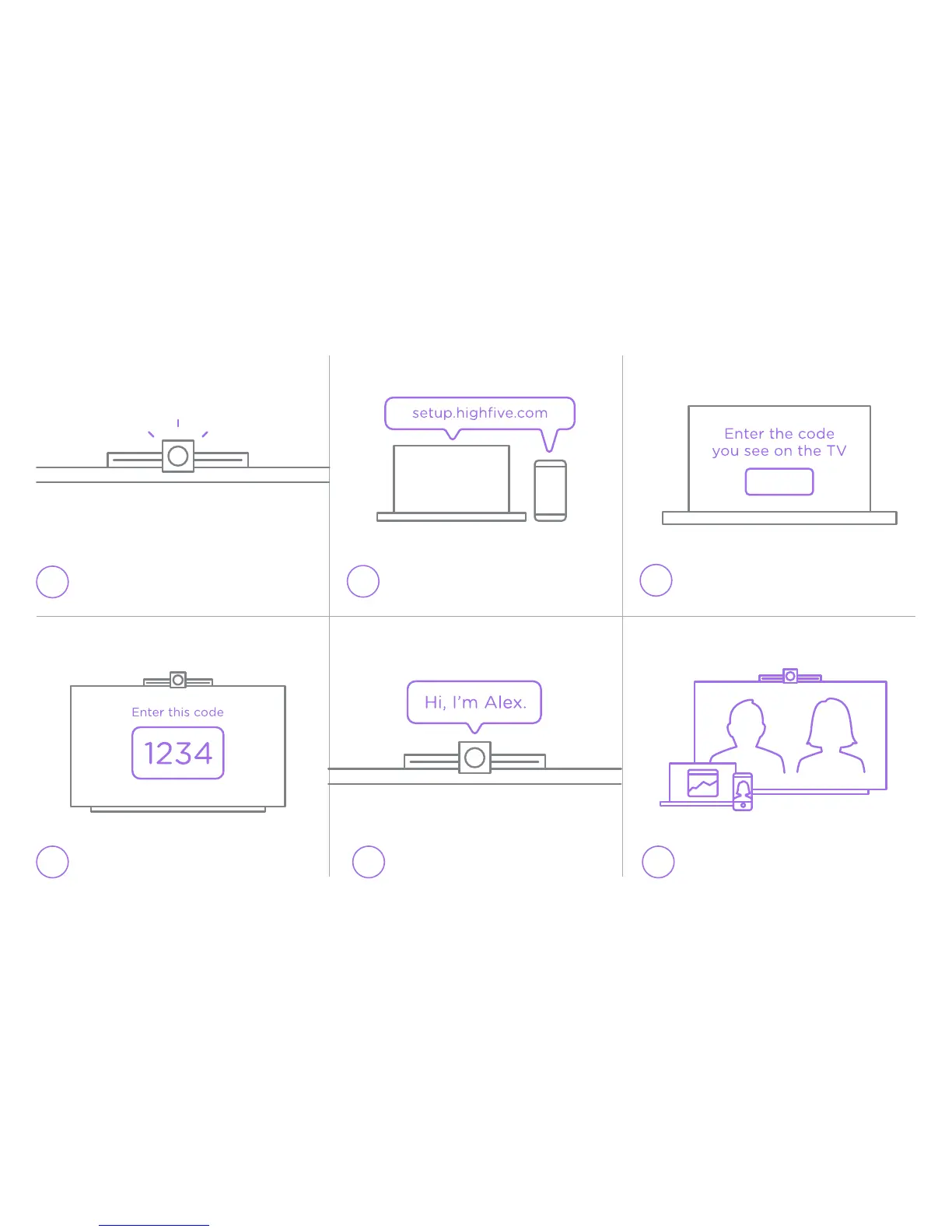
Getting started
1.
2.
4. 6.
Device will turn on automatically
3.
Follow instructions on the screen
When asked to set up device, enter
code that appears on TV screen
You are now ready to Highfive!
5.
Name your device
Using a laptop or mobile device,
navigate to setup.highfive.com


 To Next Page