ALTIWARE SERIES
TABLE OF CONTENTS
25
english
summit/altitech
2
TABLE OF CONTENTS
26
english
CHANGE ALTITUDE UNITS
Change the display units for altitude between Feet and Meters
using a PRESS & HOLD of the S2 key. Continue to hold the key
until the altitude units icon stops flashing.
MAX/ACC SCROLLING MESSAGE
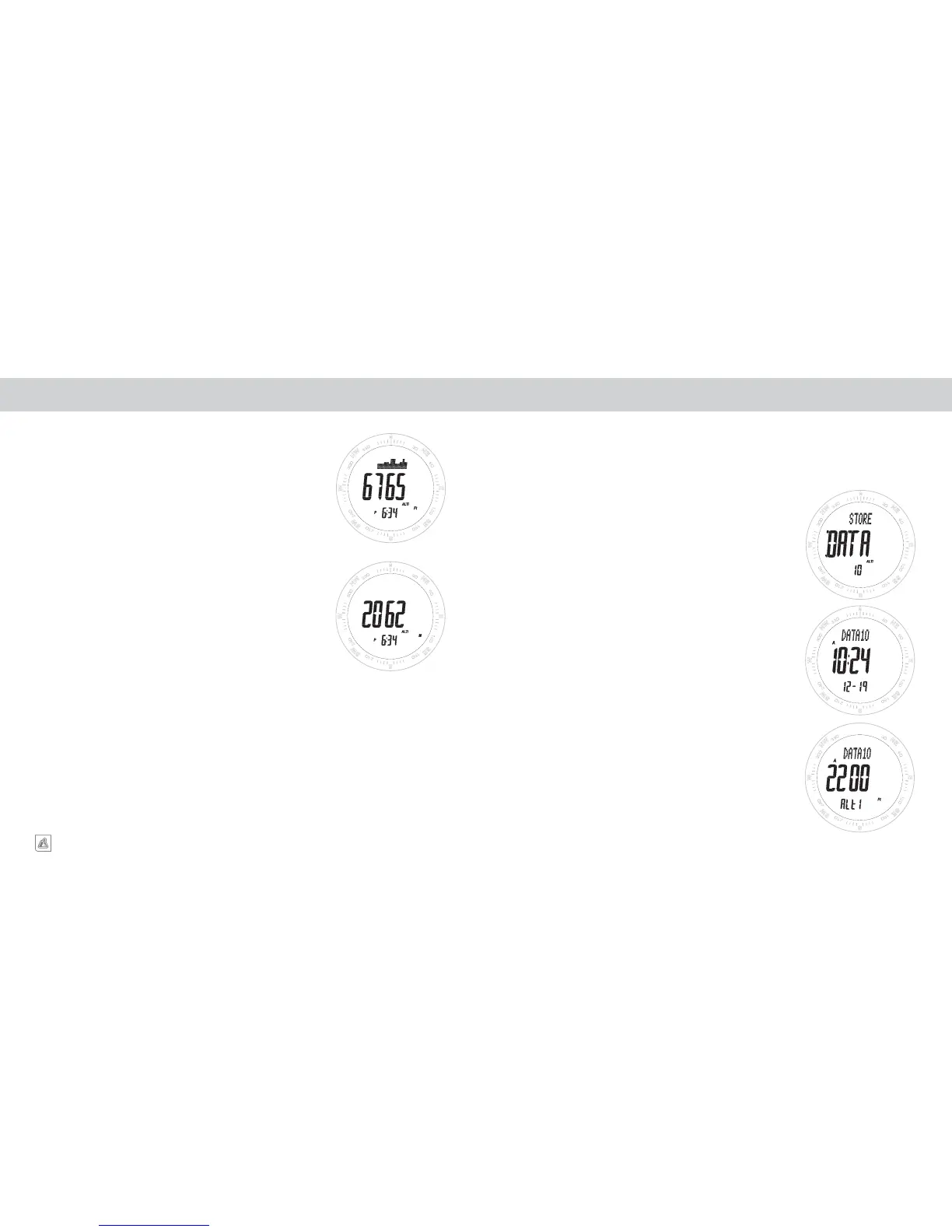
When you enter the ALTIMETER mode, the top line of the display
will show you your MAXIMUM and ACCUMULATED ALTITUDE
since the last time you cleared the memories.
NOTE: To skip the scrolling message, QUICK PRESS the
S1, S2 or S4 keys.
NOTE: To see MAXIMUM and ACCUMULATED
ALTITUDES during use, QUICK PRESS the S1 key
To CLEAR the MAXIMUM AND ACCUMULATED
MEMORIES, see Set Altimeter section.
ALTITUDE LOCK
If the altitude does not change significantly for a period of 30-
minutes the Summit/Altitech
2
will automatically activate the
ALTITUDE LOCK function. ALTITUDE LOCK is indicated by the
weather icons appearing on the altimeter display.When the unit
enters the Altitude Lock mode, the altitude at that time is locked
in memory and will not change in response to gradual external
barometric pressure changes. You can unlock the Altitude Lock
function at any time simply by pressing any key. The Altitude
Lock function will automatically deactivate if it detects any major
change in pressure/altitude over a short period of time.
ALTIMETER ALTIMETER DATA LOG MEMORY
STORING DATA POINTS
At any time in the Altitude display, PRESS AND HOLD the S1 key
for a period of approximately 3-seconds. During this time the top line
of the display will show the word STORE, and DATA will flash in the
middle line with the number of the Data Point appearing in the lower
display line.
When the Data has been stored in memory, the top line will change
from STORE to STORED. Release the S1 key and the unit will return to
the altitude display after approximately 2-seconds.
RETRIEVING DATA INFORMATION
Advance to the ALTITUDE DATA (Alti DATA) using QUICK PRESSES
of the S3 key. The top line of the display will show the file number,
the middle and bottom lines will show the time and date the file was
captured. Every 3 seconds the display will change to show the Altitude
of the file in the middle line and Alti in the lower line. Use a QUICK
PRESS of the S1 or S2 keys to move through multiple captured files.
The number of the file will always be shown in the upper line of the
display. The file system works on a First-In Last–Out system, where the
newest files are the ones with the highest file numbers.
The Summit/Altitech
2
is equipped with an Altitude Data Point memory system. This system allows you
to capture to memory the altitude of a particular location along with the date and time of the capture.
The Summit/Altitech
2
is capable of storing up to 20 individual Altitude Data Points.


 To Next Page