
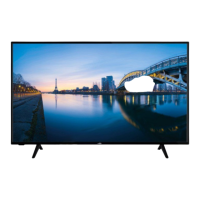
How to fix HIGHONE HI5009UHD-VE that will not turn on?
- TTammy PierceAug 5, 2025
If your HIGHONE TV won't turn on, ensure the power cord is securely plugged into the wall outlet. Then, press the Standby button on the remote control.
How to fix HIGHONE HI5009UHD-VE that will not turn on?
If your HIGHONE TV won't turn on, ensure the power cord is securely plugged into the wall outlet. Then, press the Standby button on the remote control.
Why does my HIGHONE HI5009UHD-VE say no signal?
If there's no signal on an input source on your HIGHONE TV, it's possible that no device is connected. Check the AV cables and connections from your device and ensure the device is switched on.
Why is my HIGHONE HI5009UHD-VE TV remote not working?
If your HIGHONE TV remote control isn't working, the batteries may be exhausted. Try replacing the batteries. Also, ensure the batteries are inserted correctly by referring to the section 'Inserting the Batteries into the Remote'.
How to improve poor picture quality on HIGHONE HI5009UHD-VE?
If you are experiencing poor picture quality on your HIGHONE TV, check if you have correctly tuned the TV. Low signal level can cause picture distortion, so please check antenna connections. If you have performed manual tuning, check if you have entered the correct channel frequency.
Why is recording unavailable on my HIGHONE HI5009UHD-VE TV?
To record a program on your HIGHONE TV, you should first correctly connect a USB storage device to your TV while the TV is switched off. Then switch on the TV to enable the recording feature. If you still cannot record, check the storage device is correctly formatted and there is sufficient space.
What to do if HIGHONE TV says USB is too slow?
If you see a 'USB is too slow' message on your HIGHONE TV, it means your USB storage device does not meet the speed requirements. Try using a different USB storage device.
Explains symbols and safety marks on the product for user guidance and hazard identification.
Provides critical safety instructions and precautions for mounting the TV on a wall securely to prevent accidents.
Offers tips for reducing energy consumption and environmentally friendly operation of the TV set.
Details key display technologies like Ultra HD, HDR/HLG, and Dolby Vision for enhanced visual quality.
Lists the items included in the product package for immediate use and setup.
Explains automatic standby mode and notification messages for signal loss or inactivity.
Guides on using the remote control for navigating menus and controlling TV functions.
Explains how to switch between different external input sources connected to the TV.
Describes how to adjust channels and volume using the remote control buttons.
Provides instructions on how to force the TV into standby mode to resolve unresponsiveness.
Guides on personalizing the Home menu by adding, deleting, or rearranging content items for quick access.
Explains how to use the search feature to find channels, applications, web content, and videos.
Details key TV functions like Guide, Channels, Timers, Apps, and Market accessible via the menu.
Guides on installing AAA batteries correctly in the remote control for operation.
Instructions for connecting the TV to a power source safely and correctly.
Details on how to connect an aerial or cable TV plug to the TV's input socket.
Provides information about trademarks and licensing for technologies used in the TV.
Explains how to dispose of the TV and batteries according to environmental regulations.
Details the function of each button on the TV remote control for user operation.
Illustrates and describes various connectors (HDMI, USB, etc.) and their respective cable connections.
Instructions for turning the TV on from standby and switching it off completely.
Step-by-step guide for initial TV setup, including language, country, and channel scanning.
Explains how to select broadcast types (Digital Aerial, Digital Cable, Analogue) for channel scanning.
How to connect and play media files from USB storage devices like hard drives or memory sticks.
Access and play media files (music, photos, videos) and configure playback modes like loop and shuffle.
Steps to record TV programs using a USB drive, including connection and formatting.
Explains how to pause live TV and record it simultaneously for later viewing.
Instructions for starting a recording of the current program immediately.
Guidance on accessing and playing back previously recorded TV programs.
Configure recording preferences like start early, end late, max timeshift, and auto discard.
View details about connected USB storage and options for formatting the disk.
Explains how to use slow forward and slow rewind functions for recorded playback.
Control CEC-enabled devices connected via HDMI using the TV remote.
Optimize TV for gaming with Game Mode and enable Auto Low Latency Mode.
Detailed options for adjusting picture quality, including mode, contrast, brightness, and advanced settings.
Options for adjusting audio output, including Dolby Atmos, surround sound, equalizer, and volume.
Access and configure settings for channel scanning, network setup, and initial installation.
Configure accessibility, language, parental controls, date/time, and other system-wide preferences.
Manage input source preferences, including HDMI settings like Regular and Enhanced.
Configure device-specific functions like CEC, ALLM, and No Signal Timer for optimal performance.
Edit, filter, and manage channels, including creating favourite lists for easy access.
Set up parental locks, maturity ratings, child lock, and PIN for restricted content access.
Browse TV schedules, view program details, and set timers for recordings or viewing.
Navigate program guides, search for events, view details, and access teletext services.
Instructions for searching and performing software upgrades to ensure the TV has the latest firmware.
Solutions for common problems like no sound, muted audio, or unresponsive remote control.
Addresses issues with signal reception, USB recording failures, and slow USB drive performance.
Details supported HDMI resolutions and refresh rates for various devices.
Lists supported video, picture, audio, and subtitle file formats for USB playback.
Information on DVI resolutions supported when connecting devices via a DVI to HDMI converter.
Access, manage, and reset TV applications installed from the app market.
Details on DVB receiver suitability, compatibility with future transmissions, and country-specific functions.
Provides details on TV broadcasting standards, receiving channels, and digital reception capabilities.
Lists operating voltage, audio output, power consumption, dimensions, and display specifications.
Details VESA mounting hole patterns, screw sizes, and thread specifications for wall mounting.
Outlines the terms and conditions of the product warranty, including coverage and exclusions.
States compliance with essential requirements of EU directives and provides a link to the conformity declaration.