23
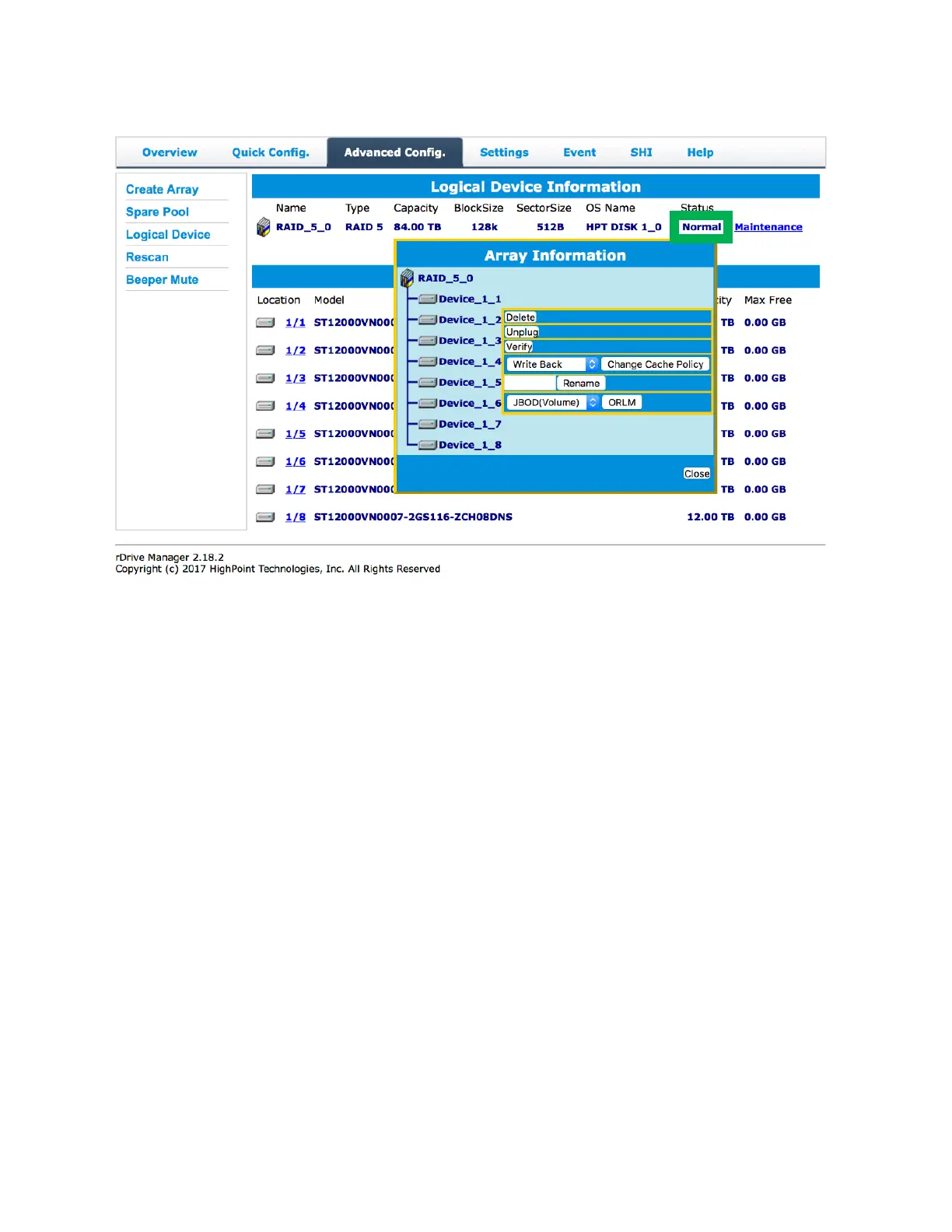
Normal
Arrays with the Normal status are healthy and functioning properly. Arrays with the Normal status will
have the following options:
Delete: deletes the selected RAID array
Unplug: powers off the selected RAID array – once powered off, the physical disks can be safely
removed from the RAID controller
o To detect the disk again you can wait for the system to detect the disk or you can turn
the power off and on for a quicker solution
Verify: verifies the integrity of the RAID array
Change Cache Policy: toggles between Write through and Write back cache
Rename: renames the RAID array.
ORLM (Online Capacity Expansion / Online RAID Level Migration options): see Expanding a RAID
array for more information.



 To Next Page