6
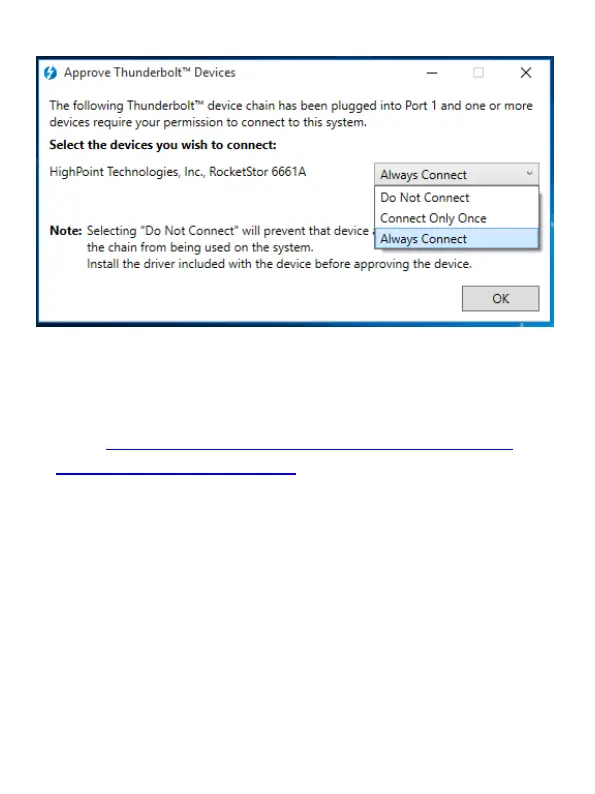
Select “Always Connect” from the drop-down menu, then click
OK.
Driver Installation: Microsoft Windows
1. Go to http://www.highpoint-tech.com/USA_new/series-
rs6661a-esata-download.htm and download the manager and
driver files.
2. For the manager, run HighPoint RAID Management.exe and
follow the onscreen instructions
3. For the driver, go into Device Manager and ‘Other Device’
4. Right click on ‘RAID Controller’
5. Select ‘Properties’ and ‘Update driver software tab’
6. Select the x32 or x64 folder from the eSATA download files
depending on if you use a 32 or 64 bit system
7. ‘RocketRAID 644L SATA Controller’ displays under ‘Storage
Controllers’ in the Device Manager if driver installs properly



 To Next Page