1 Download App
Search “HiKam” in App Store or Google Play. Download and install the app, it is free for HiKam
user. Follow the instruction on the HiKam App to register user account.
2 Configure Network
You can use Ethernet or WiFi to connect the camera to the router.
Your router must be connected to the internet; otherwise the camera will not work.
Ethernet:
Connect the camera to the router with Ethernet cable, make sure the DHCP function is enabled in
the Router. Don’t worry, if you don’t know what DHCP means, it is highly possible that DHCP is
enabled correctly.
WiFi:
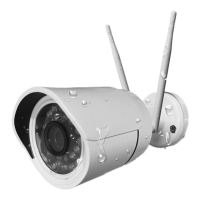
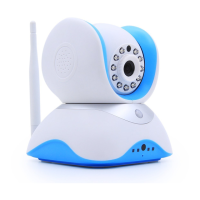
For HiKam Q7, mount the WiFi antenna onto the camera. HiKam S5 has embedded antenna.
WiFi Standard 802.1 b/g/n, 2.4GHz is supported.
You have to tell the camera your WiFi name and its password, here we show you how.
Power on the camera, open HiKam on your smart phone and follow the instruction there. It will
guide you through the setup.
If you still have problem after some attempts, please refer to the Q&A section.


 To Next Page