
 Need help?
Do you have a question about the HIKVISION DS-2CD3086G2-IS and is the answer not in the manual?
This document serves as a Quick Start Guide for a Hikvision Bullet Network Camera, providing essential information for its installation, operation, and maintenance. The manual emphasizes safety, regulatory compliance, and proper handling to ensure optimal performance and longevity of the device.
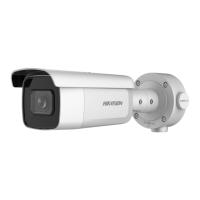
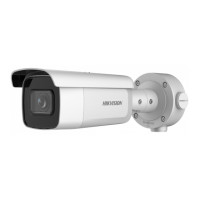
The Hikvision Bullet Network Camera is designed for surveillance and monitoring purposes, capturing video data over a network. It features a robust design suitable for various environments, with specific considerations for both indoor and outdoor use. The camera includes a network interface for connectivity, power input and output, and interfaces for alarm and audio, allowing for comprehensive integration into a security system. Some models may also include a White Light Illuminator for enhanced visibility in low-light conditions. The device supports microSD cards for local storage, providing flexibility in data management. A reset button is integrated for restoring default settings, simplifying troubleshooting and reconfiguration.
The camera's usage is straightforward, focusing on network connectivity and image capture. Initial setup involves activating and accessing the camera via a network, which can be done through a web browser or client software. Time synchronization is a critical step, especially for accurate event logging and recording, and can be manually set if not automatically synchronized with the network. The camera's design allows for flexible positioning, with a mount that supports adjustments in pan, tilt, and rotation (0°-90° tilt, 0°-360° pan and rotation) to achieve the desired viewing angle. The inclusion of a microSD card slot enables local storage of recordings, which is beneficial for standalone operation or as a backup to network storage. The device is designed to operate within a specified temperature and humidity range, ensuring reliability in diverse environmental conditions. For models with a White Light Illuminator, users are advised to wear appropriate eye protection and avoid staring directly at the light source during operation, assembly, or maintenance due to potential optical radiation.
Proper maintenance is crucial for the camera's performance and lifespan. The manual highlights several key aspects of maintenance:
The document also includes important regulatory information, such as FCC compliance and EU conformity statements, along with symbols and marks to guide users through the installation and operation processes, indicating notices, warnings, forbidden actions, correct/incorrect steps, and optional accessories or steps.
 General
| Camera Type | Bullet |
|---|---|
| Max Resolution | 3840 × 2160 |
| IR Range | Up to 30m |
| WDR | 120dB |
| Video Compression | H.265+/H.265/H.264+/H.264 |
| Bit Rate | 32Kbps to 16Mbps |
| Ingress Protection | IP67 |
| Vandal Resistance | IK10 |
| Image Sensor | 1/2.8" Progressive Scan CMOS |
| Lens | 2.8mm, 4mm, 6mm fixed lens options |
| Audio | Built-in microphone, Two-way audio |
| Network | RJ45 10M/100M self-adaptive Ethernet port |
| Power Supply | 12 VDC ± 25%, PoE (802.3af) |
| Operating Conditions | -30 °C to 60 °C (-22 °F to 140 °F), humidity: ≤ 95%, non-condensing |
| Day/Night | ICR |


 To Next Page