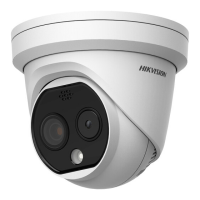
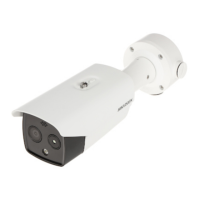
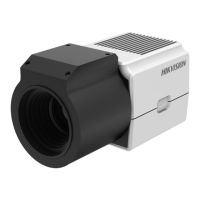
This document is a user manual for a Hikvision Thermal & Optical Bi-spectrum Network Camera, providing comprehensive instructions for its operation, configuration, and maintenance.
Function Description:
The camera is designed for high-accuracy temperature measurement, combining thermal and optical imaging capabilities. It features a built-in high-sensitivity sensor and passive infrared imaging, enabling it to measure object temperature and track people with high skin-surface temperature in crowded public areas. The device supports various smart functions, including temperature measurement and temperature screening, which can trigger alarms when set temperature thresholds are exceeded. It also offers face detection and capture capabilities, allowing for the display of the highest face temperature and the upload of captured face images with associated information.
Important Technical Specifications:
- Temperature Measurement: Measures actual scene temperature and triggers alarms when thresholds are exceeded.
- Recommended target surface angle: less than 45° to the optical axis.
- Recommended target image pixels: more than 5x5.
- Supports line thermography and area thermography for accurate temperature measurement.
- Configurable emissivity, distance, and reflective temperature for enhanced accuracy.
- Alarm Temperature and Pre-Alarm Temperature settings with configurable filtering time and tolerance temperature.
- Temperature Screening: Specifically designed for human temperature measurement in both optical and thermal channels.
- In the optical channel, it detects human faces and displays the highest temperature.
- In the thermal channel, it measures body temperature.
- Configurable display information on live view or captured pictures: Face Frame, Face Temperature, Display Face Temperature Position.
- Black Body Correction can be enabled to increase measurement accuracy.
- Temperature Compensation can be added to show more accurate temperatures.
- Face detection parameters: Min./Max. Pupil Distance, Generation Speed, Sensitivity.
- Alarm thresholds for high and low temperatures, and pre-alarm temperature.
- Temperature Measurement Mode: Mixed Mode and Forehead Mode.
- Face detection area can be drawn and adjusted.
- Video and Audio:
- Supports multiple stream types (Main Stream, Sub Stream, Other Streams) with configurable resolution, bitrate type (Constant Bitrate, Variable Bitrate), video quality, frame rate, and video encoding (H.264, H.264+, H.265, H.265+).
- Audio settings include audio input (LineIn, MicIn) and environmental noise filter.
- Two-way audio function for communication.
- Region of Interest (ROI) encoding to prioritize encoding resources for specific areas.
- Display Settings:
- Image adjustment: Brightness, Saturation, Hue, Contrast, Sharpness.
- Thermal channel image adjustment: Background Correction (uniform temperature), Manual Correction (defective pixel correction), Thermal AGC Mode (Histogram, Linear, Self-Adaptive).
- Exposure settings: Exposure Time, Gain, Slow Shutter.
- Supplement Light settings: Auto, IR Light Mode, Brightness Limit.
- BLC (Backlight Compensation) and WDR (Wide Dynamic Range).
- White Balance (Cold, Warm, Auto White Balance).
- DNR (Digital Noise Reduction): Normal, Expert, OFF.
- Defog function for foggy environments.
- Gray Scale range: [0-255] or [16-235].
- Palette modes for thermal grayscale images.
- Target Enhancement: Set colors for High Temperature, Interval Temperature, or Low Temperature targets.
- DDE (Digital Detail Enhancement): OFF, Normal.
- Brightness Sudden Change reduction.
- Enhance Regional Image for improved coding quality in selected areas.
- Mirror mode for live view image correction.
- Digital Zoom.
- Scene Mode presets for different environments.
- OSD (On-screen Display): Customizable device name, time/date, font, color, and text overlay.
- Privacy Mask: Blocks specific areas in the live view to protect privacy.
- Manual DPC (Defective Pixel Correction): Manually corrects defective pixels.
- Storage: Supports memory card, NAS (Network Attached Storage), and cloud storage for recording and picture capture.
- Network Settings:
- TCP/IP configuration (IPv4, IPv6, DHCP, Manual, MTU, DNS).
- Multicast Discovery.
- Port settings (HTTP, RTSP, HTTPS, Server Port, WebSocket, WebSockets).
- Port Mapping (Auto, Manual, UPnP™).
- SNMP (Simple Network Management Protocol) for network management.
- Access via Domain Name (DDNS).
- PPPoE Dial Up Connection.
- Hik-Connect Service for remote access.
- Open Network Video Interface for third-party access.
- Alarm Host and Alarm Server for sending alarm signals.
- Network Service ON/OFF control for various protocols.
- System and Security:
- View device information (Device No., Model, Serial No., Firmware Version).
- Search and manage logs.
- Import and export configuration files.
- Export diagnose information.
- Reboot, Restore and Default, Upgrade.
- View Open Source Software License.
- Time and Date settings (Time Zone, Manual Time Sync., NTP Server, DST).
- Unit Settings (temperature and distance units).
- RS-232 and RS-485 for peripheral device connection.
- Security settings: Authentication (RTSP, WEB), Security Audit Log, IP Address Filter, HTTPS, QoS (Quality of Service), IEEE 802.1X, User and Account management.
Usage Features:
- Device Activation: Can be activated via SADP software or web browser.
- Login: Access via web browser with plug-in installation instructions for various operating systems and browsers.
- Illegal Login Lock: Locks the device after a certain number of wrong password attempts.
- Arming Schedule and Alarm Linkage: Customizable time periods for device tasks and alarm responses (trigger alarm output, FTP/NAS/memory card uploading, send email, notify surveillance center, trigger recording, audible warning, flashing light).
- Live View:
- Window division for multiple channels.
- Stream type selection.
- Enable/disable live view.
- Digital zoom.
- View previous/next page.
- Full screen mode.
- Light control (illuminator).
- Wiper control (for devices with wipers).
- Quick Set Live View for rapid configuration of PTZ, display, OSD, video/audio, and VCA resources.
- Video Recording and Picture Capture:
- Record automatically based on continuous, motion, alarm, motion|alarm, motion & alarm, or event triggers.
- Manual recording.
- Playback and download video.
- Capture pictures automatically (timing, event-triggered) or manually.
- View and download captured pictures.
- Overlay target information on alarm pictures.
- Target picture settings (Custom, Head Shot, Half-Body Shot, Full-Body Shot).
- Background picture settings (quality, resolution).
- Text overlay on captured pictures.
- Shield region to invalidate smart function rules.
- Face Capture Advanced Settings for optimizing algorithm parameters (Generation Speed, Sensitivity, Upload Feature, Best Shot, Capture Times, Facial Posture Filter, No Wearing Mask Linkage, Normal Temperature Linkage, Low Temperature Linkage).
- Overlay Picture: Overlay customized BMP pictures on live view.
Maintenance Features:
- Firmware Updates: Instructions for upgrading the device firmware.
- Restore and Default: Resets device parameters to default settings.
- Troubleshooting: Logs help locate and troubleshoot problems.
- Periodic Checking: Recommendation for periodic checking of device components (e.g., electrolytic capacitors).
- Cleaning: Instructions for cleaning the device with a clean cloth and a small quantity of ethanol.
- Fuse Replacement: To reduce fire risk, replace fuses only with the same type and rating.
- Serial Port: The serial port is used for debugging only.
- Battery Maintenance: Instructions for long-term storage of the battery (fully charged every half year).
- Security Audit Log: Search and analyze security logs to detect illegal intrusions and troubleshoot security events.
- Certificate Management: Create and install self-signed or authorized certificates for HTTPS.

 Need help?
 General







 To Next Page